Support Center Quick sheets
One page, pinned above the desk.
37 printable checklists — the whole setup for one job on a single sheet. Open any of them full size to print, or keep one on a second screen while you work.
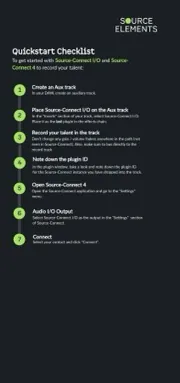
Source-Connect 4 8
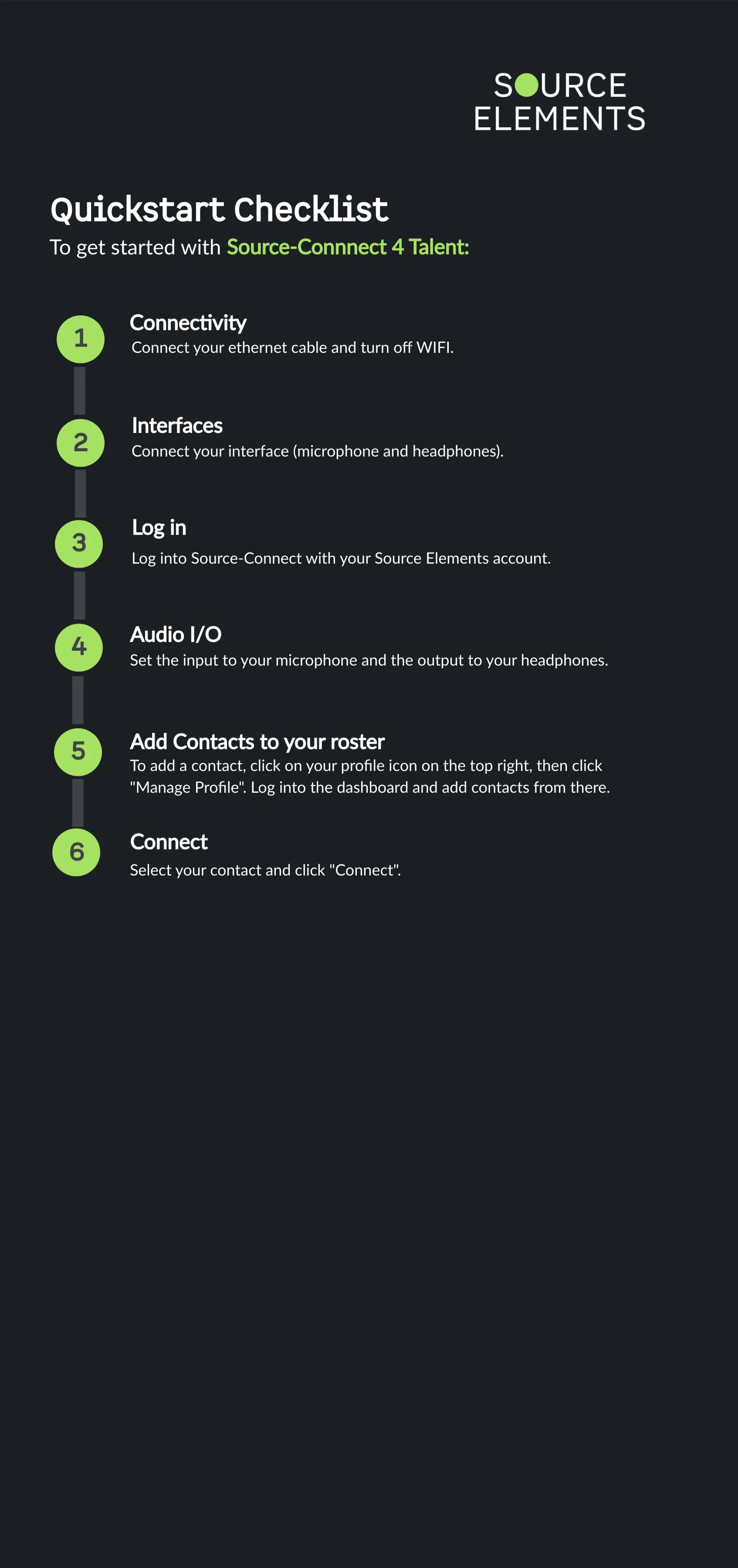
Get started with Source-Connect Talent 4
Open full size 1694 × 3600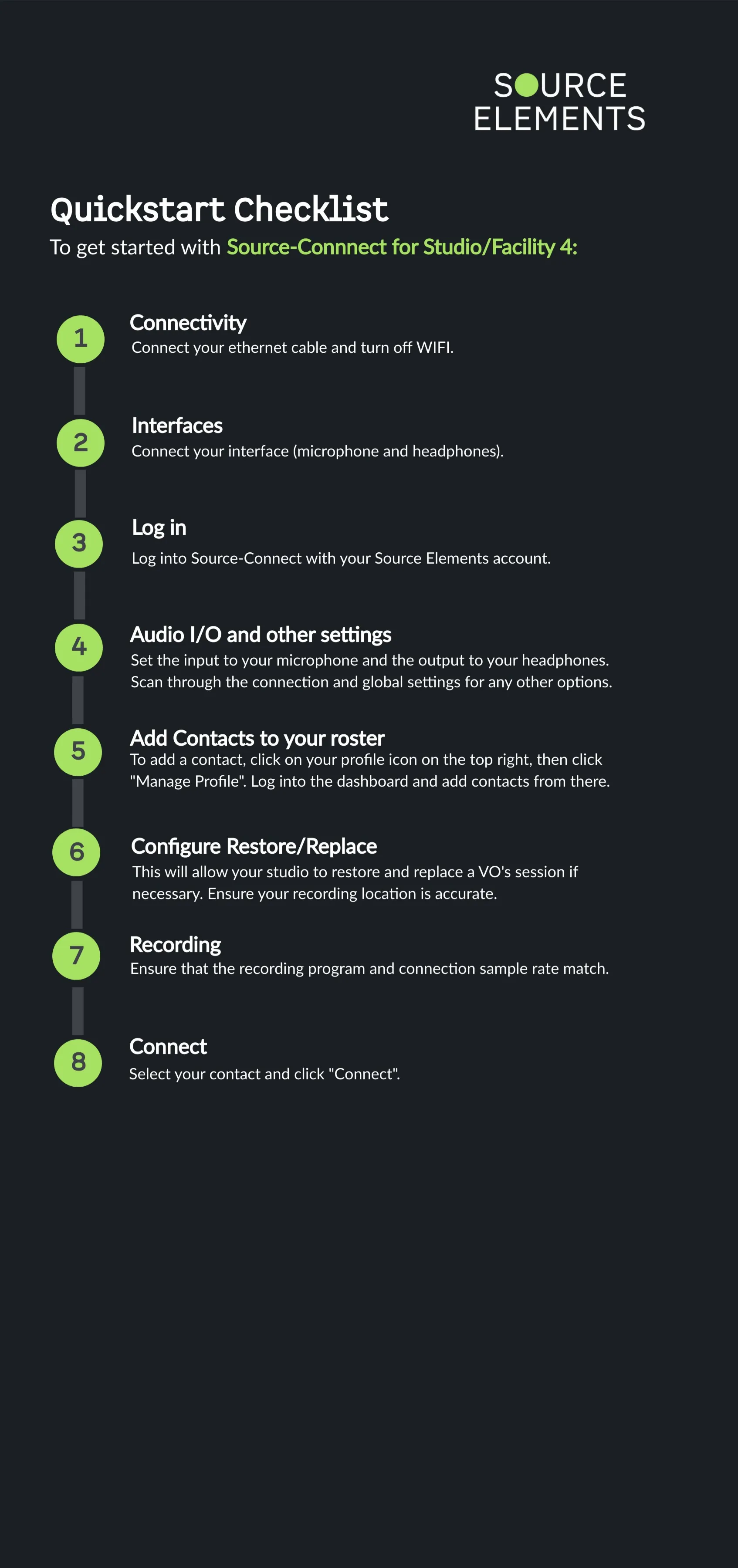
Get started with Source-Connect Studio/Facility 4
Open full size 1694 × 3600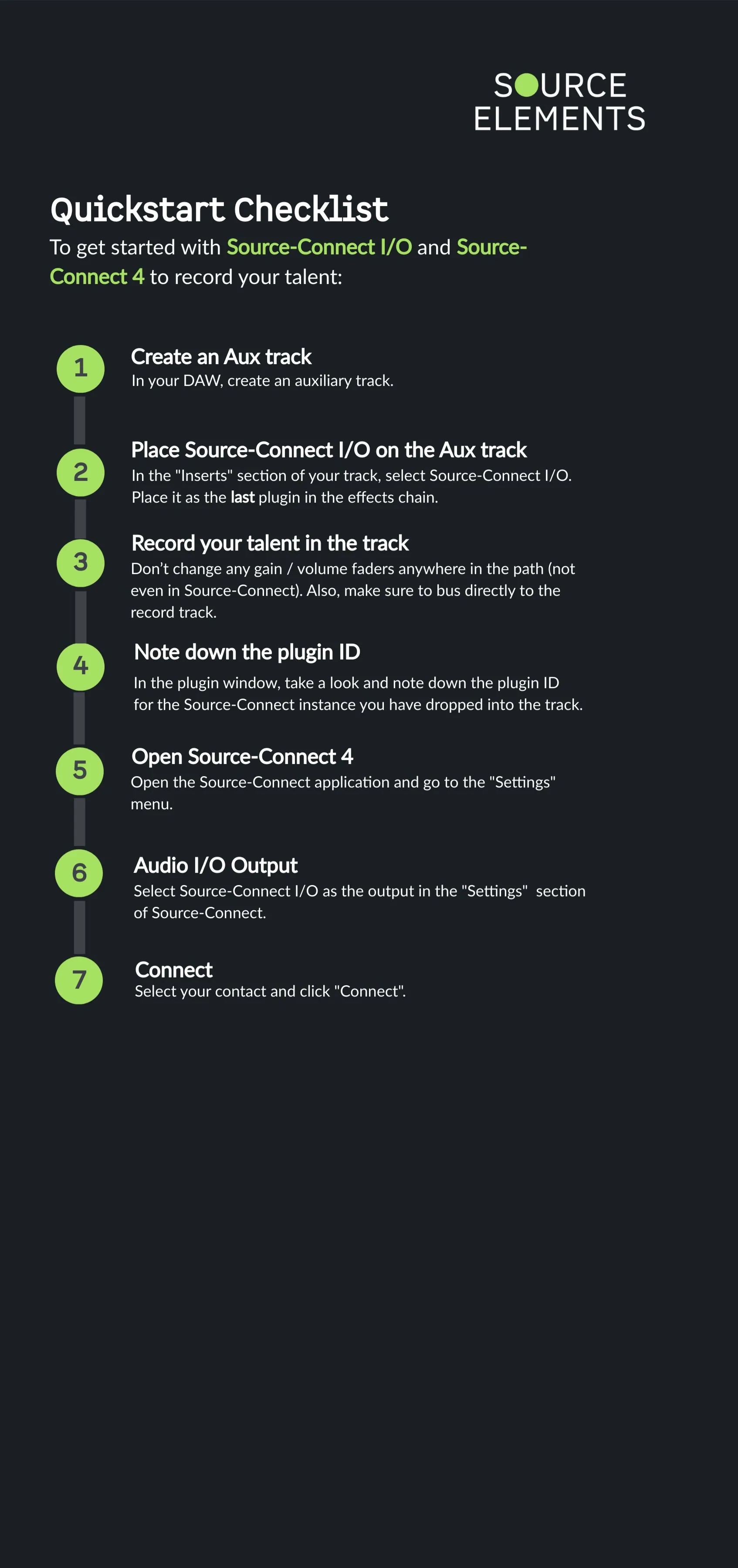
Use Source-Connect I/O to record your talent in Source-Connect 4
Open full size 1694 × 3600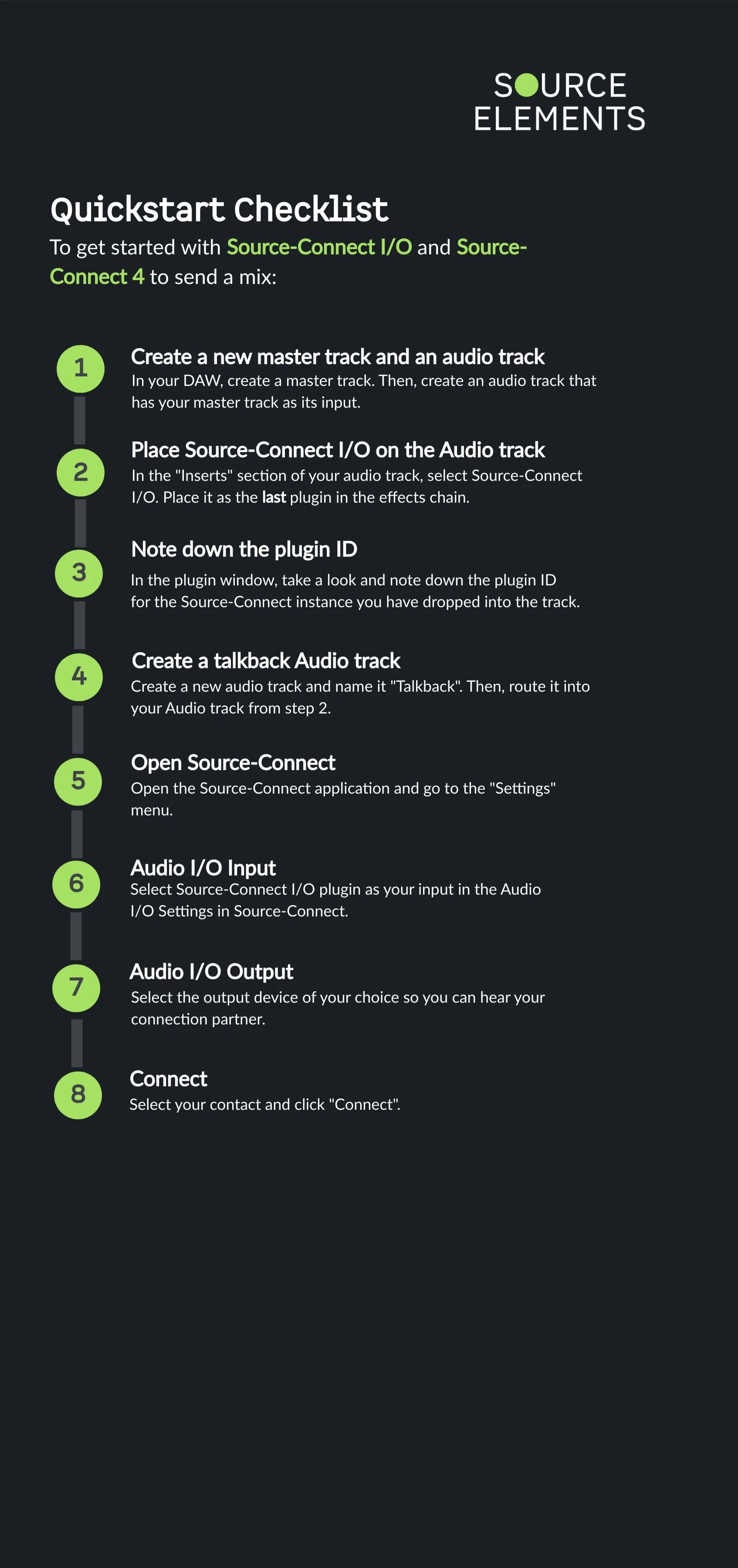
Use Source-Connect I/O to send a mix out in Source-Connect 4
Open full size 1694 × 3600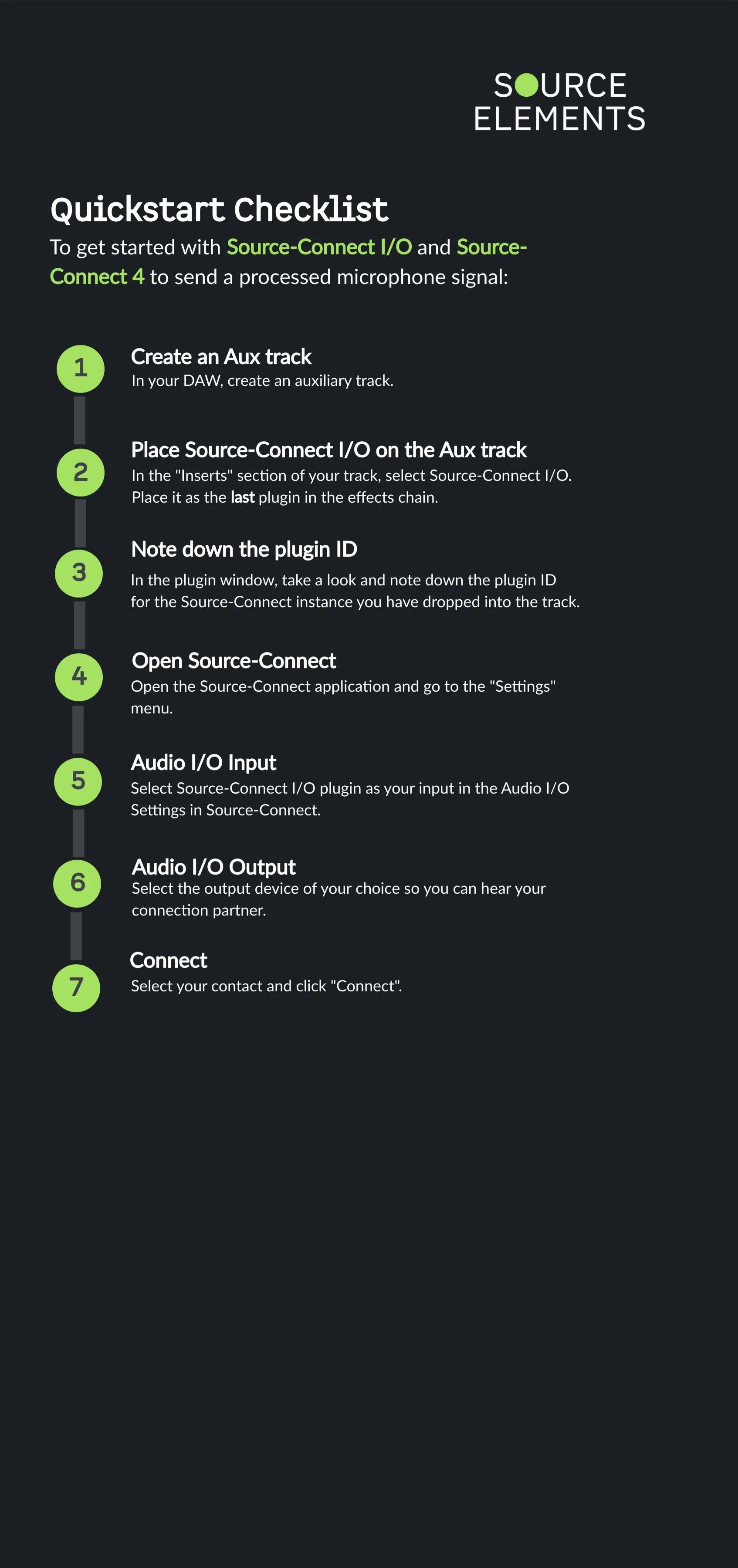
Use Source-Connect I/O to send a processed signal in Source-Connect 4
Open full size 1694 × 3600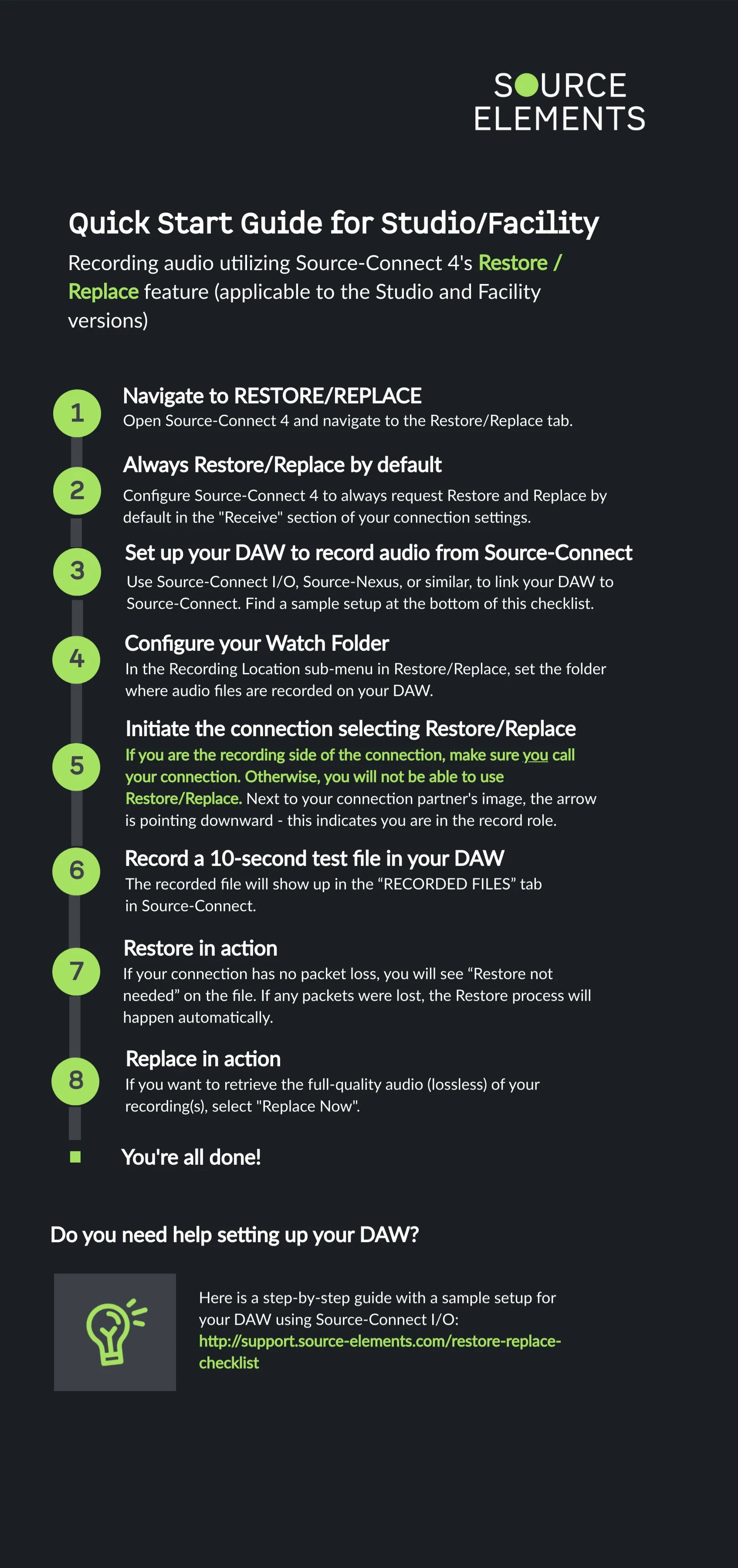
How to record audio using Source-Connect's restore and replace in the Studio and Facility versions
Open full size 1694 × 3600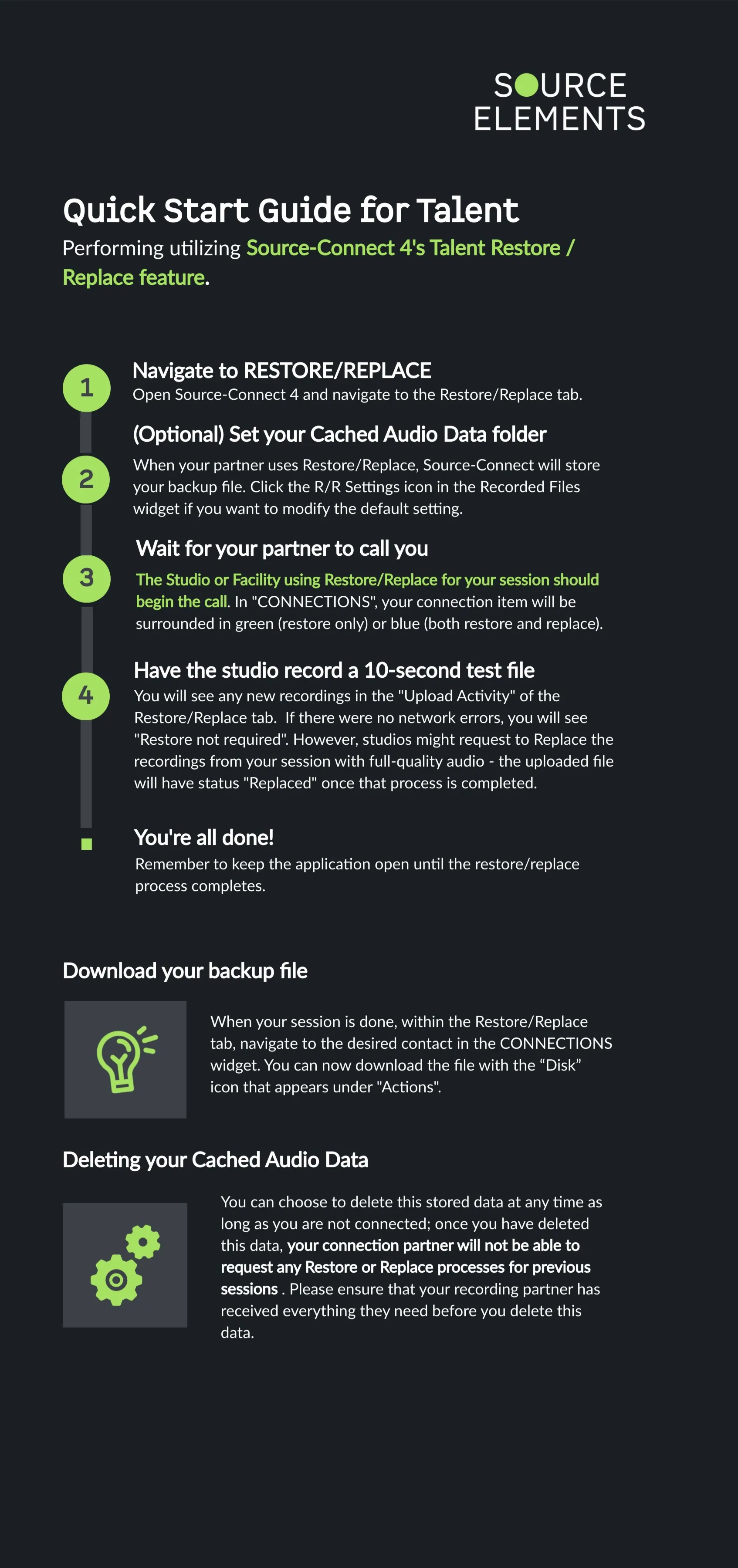
Performing using Source-Connect Talent's restore and replace feature
Open full size 1694 × 3600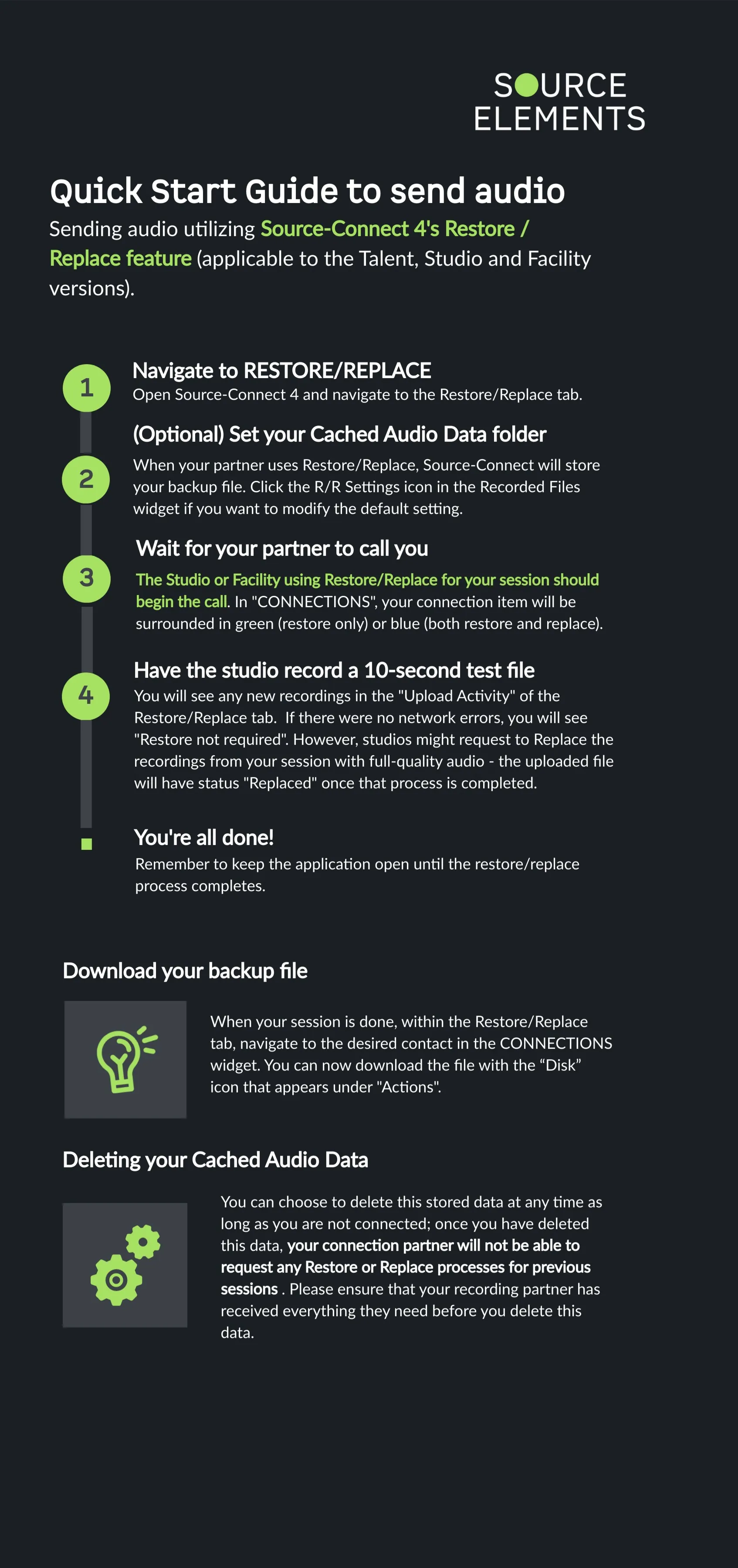
How to send audio using Source-Connect's restore and replace in the Talent Studio and Facility versions
Open full size 1694 × 3600Source-Connect 3 5
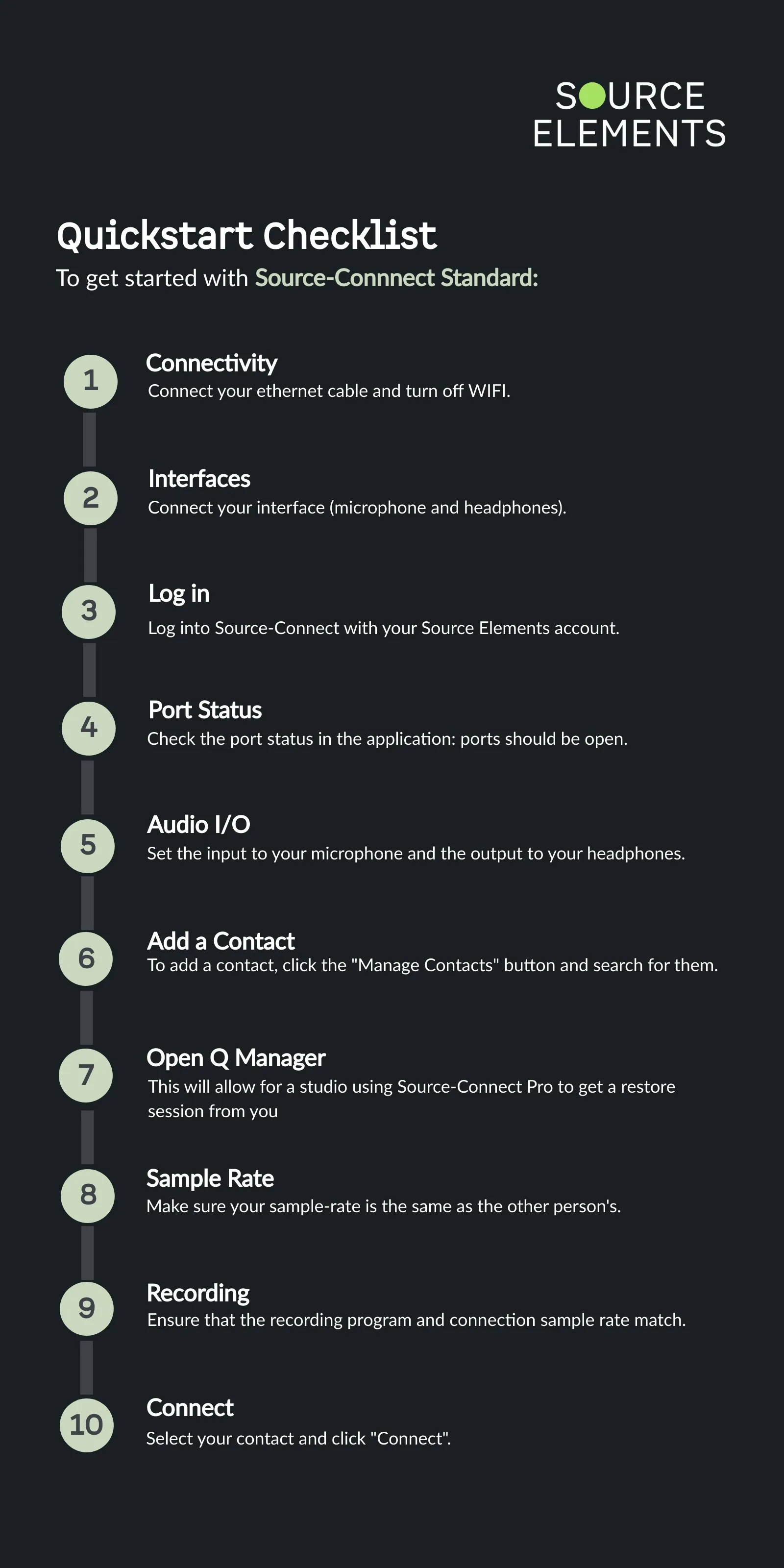
Get started with Source-Connect Standard 3.9
Open full size 1600 × 3200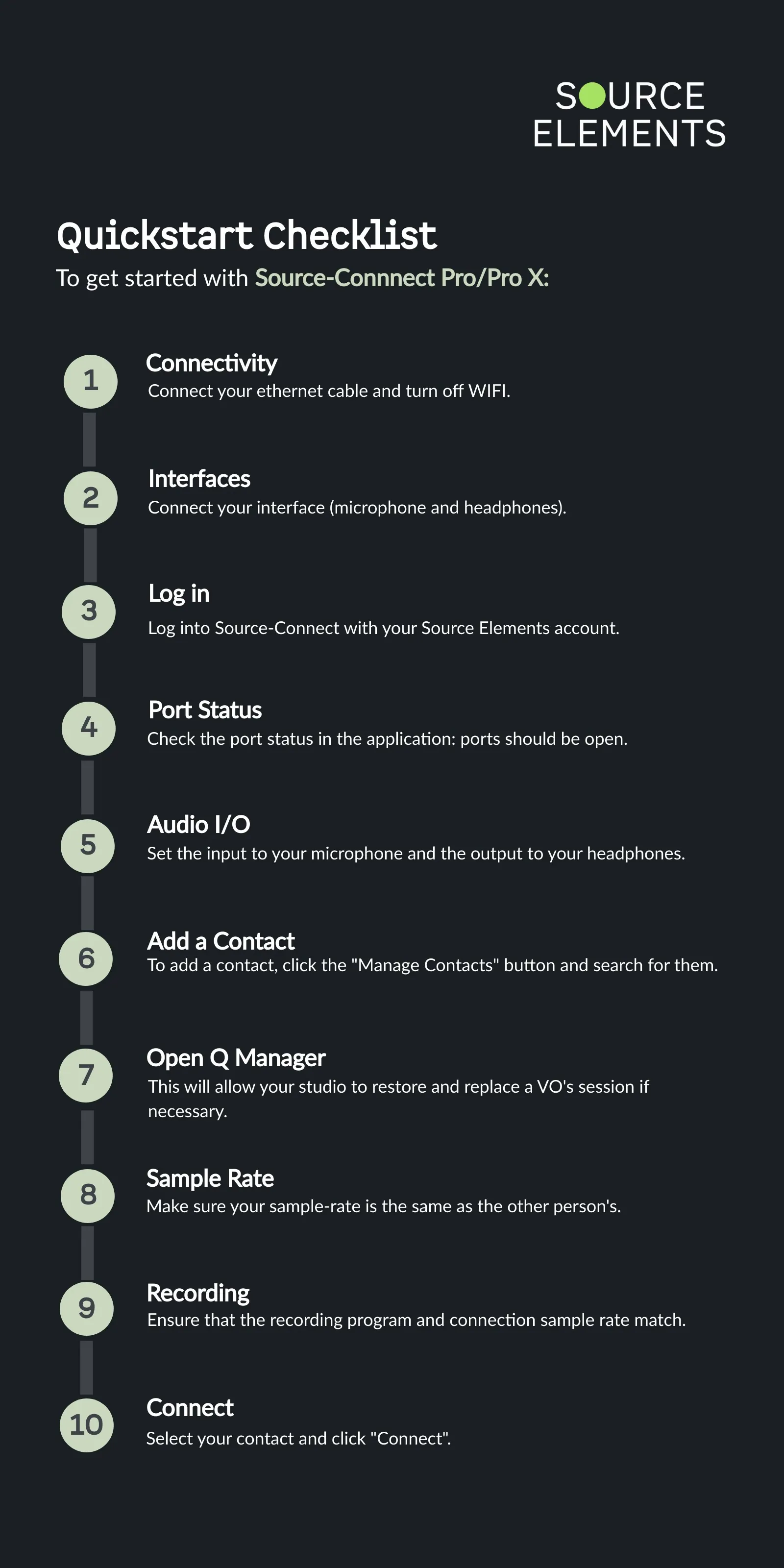
Get started with Source-Connect Pro and Pro X 3.9
Open full size 1600 × 3200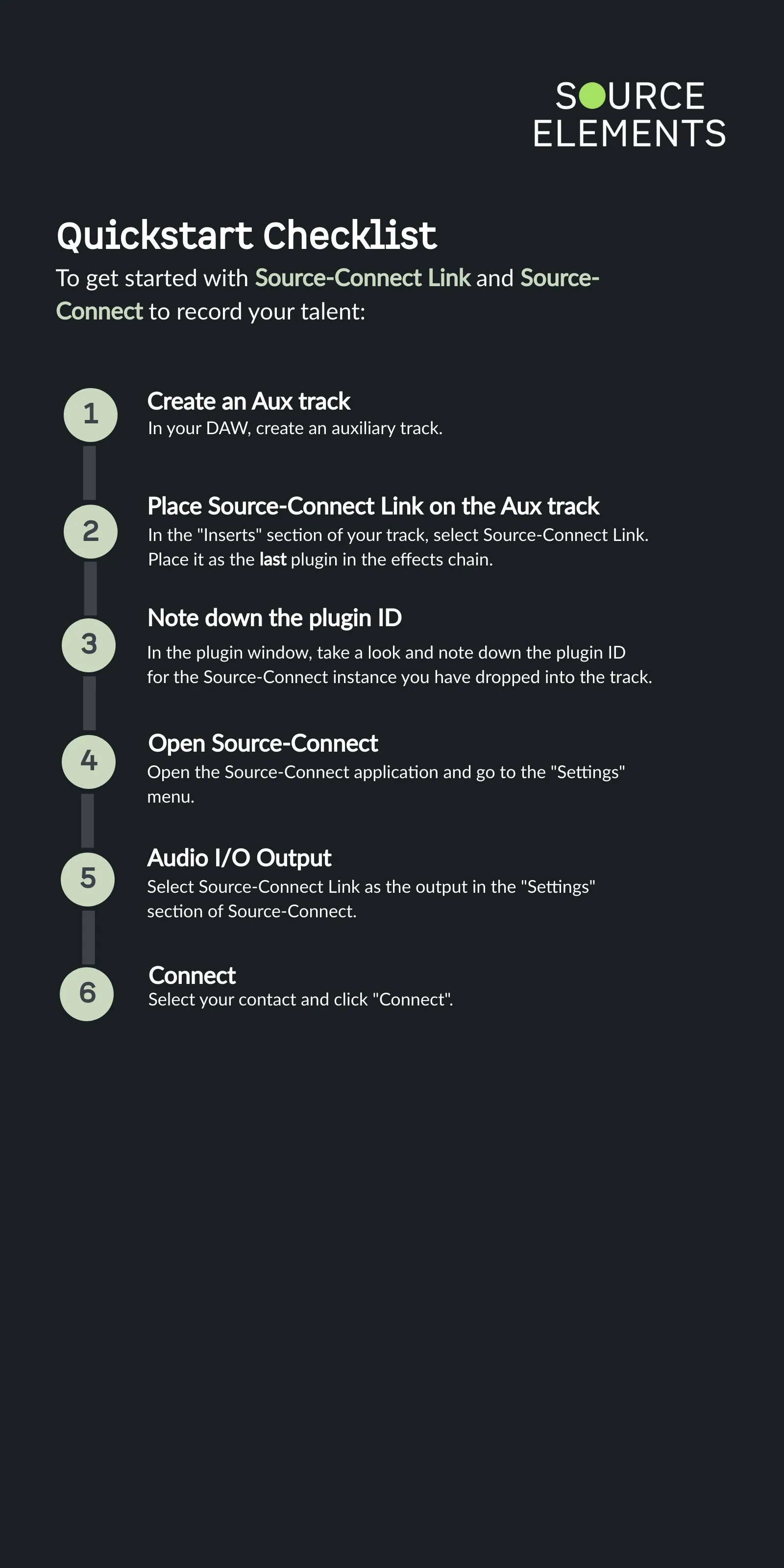
Use Source-Connect Link to record your talent in Source-Connect 3
Open full size 1600 × 3200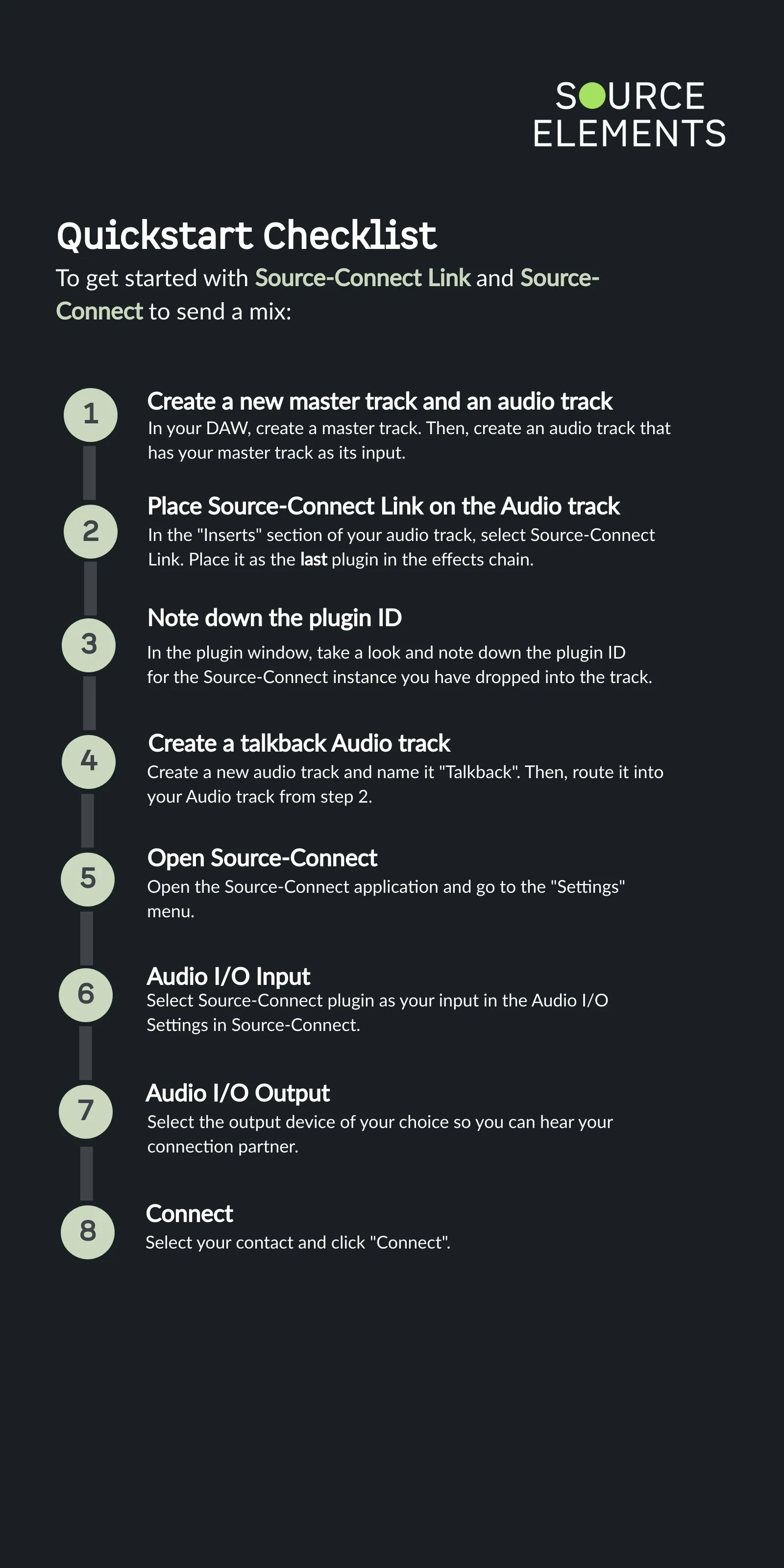
Use Source-Connect Link to send a mix out in Source-Connect 3
Open full size 1600 × 3200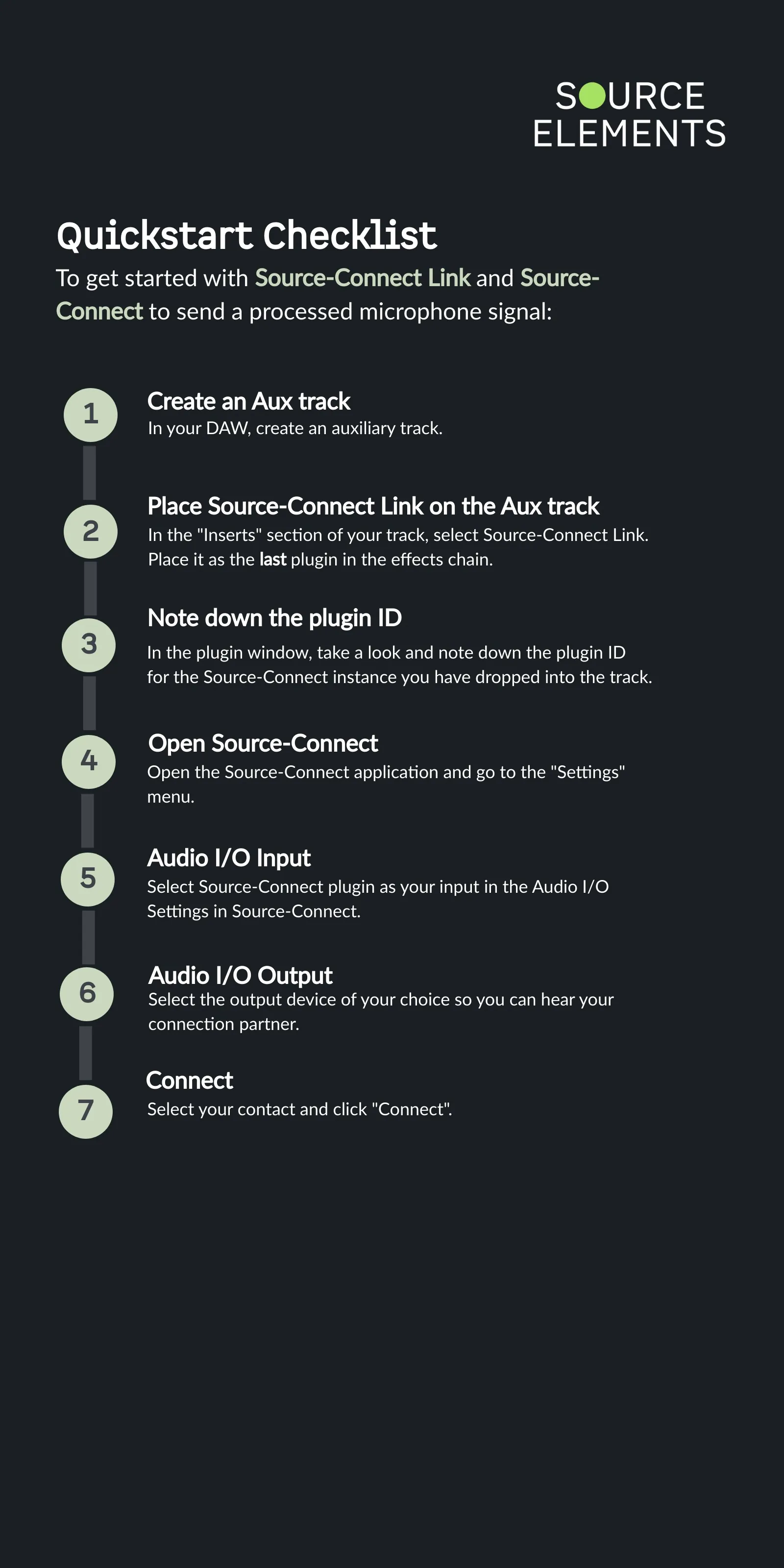
Use Source-Connect Link to send a processed signal in Source-Connect 3
Open full size 1600 × 3200Source-Nexus Suite 9
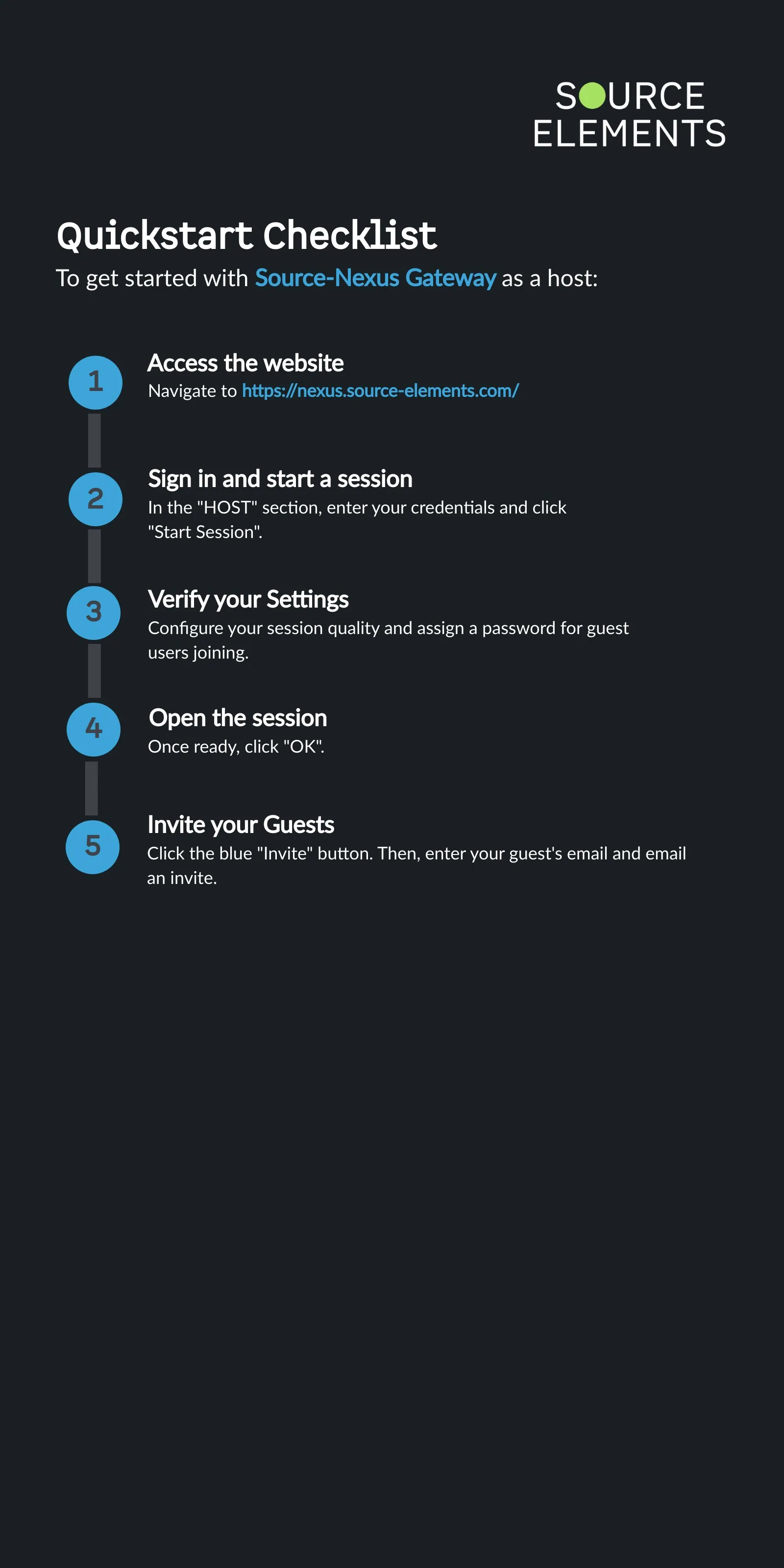
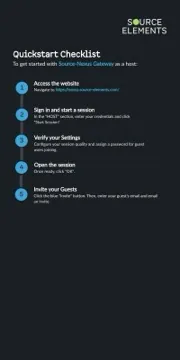
Get started with Source-Nexus Gateway as a host
Open full size 1600 × 3200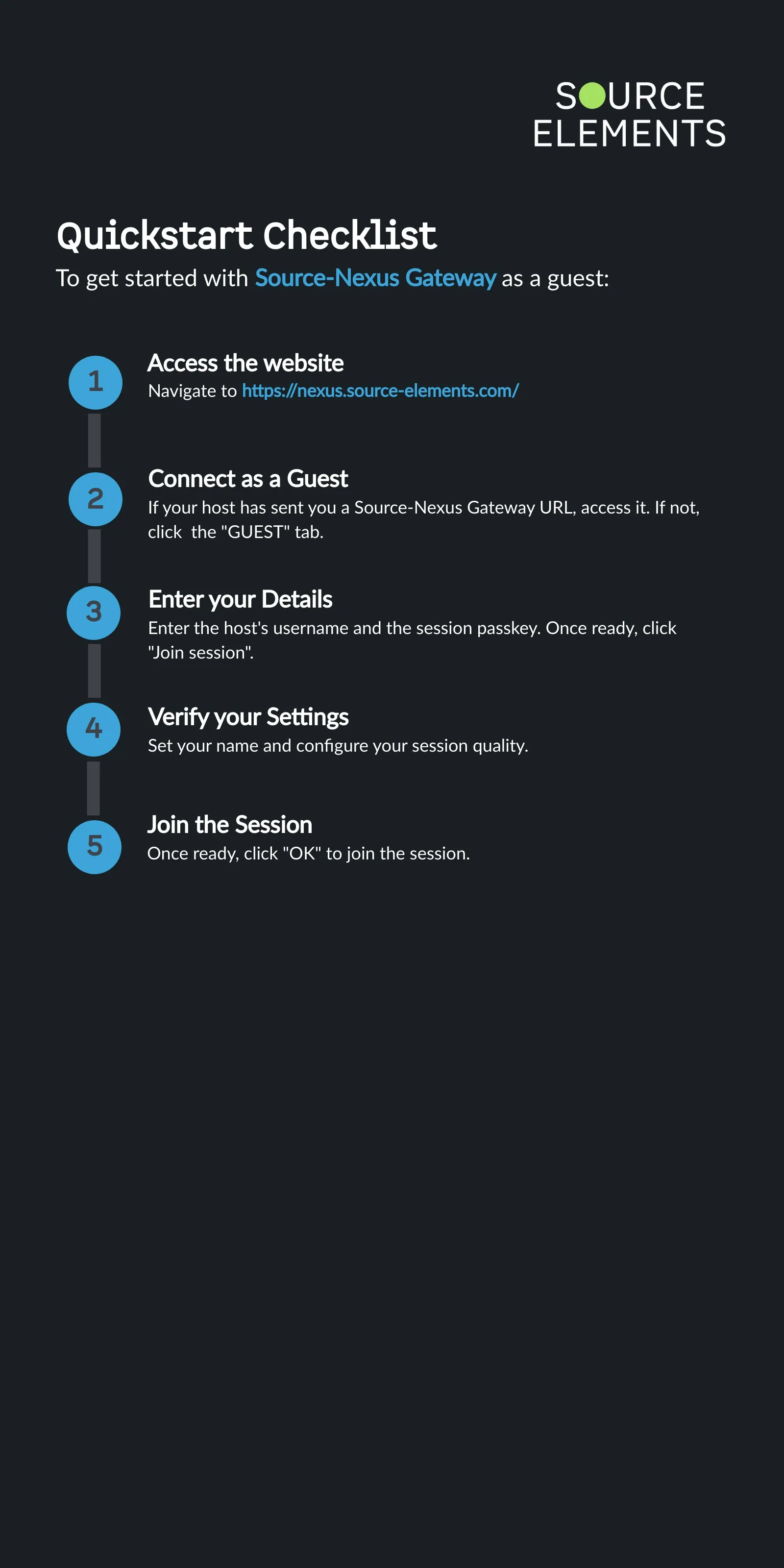
Get started with Source-Nexus Gateway as a guest
Open full size 1600 × 3200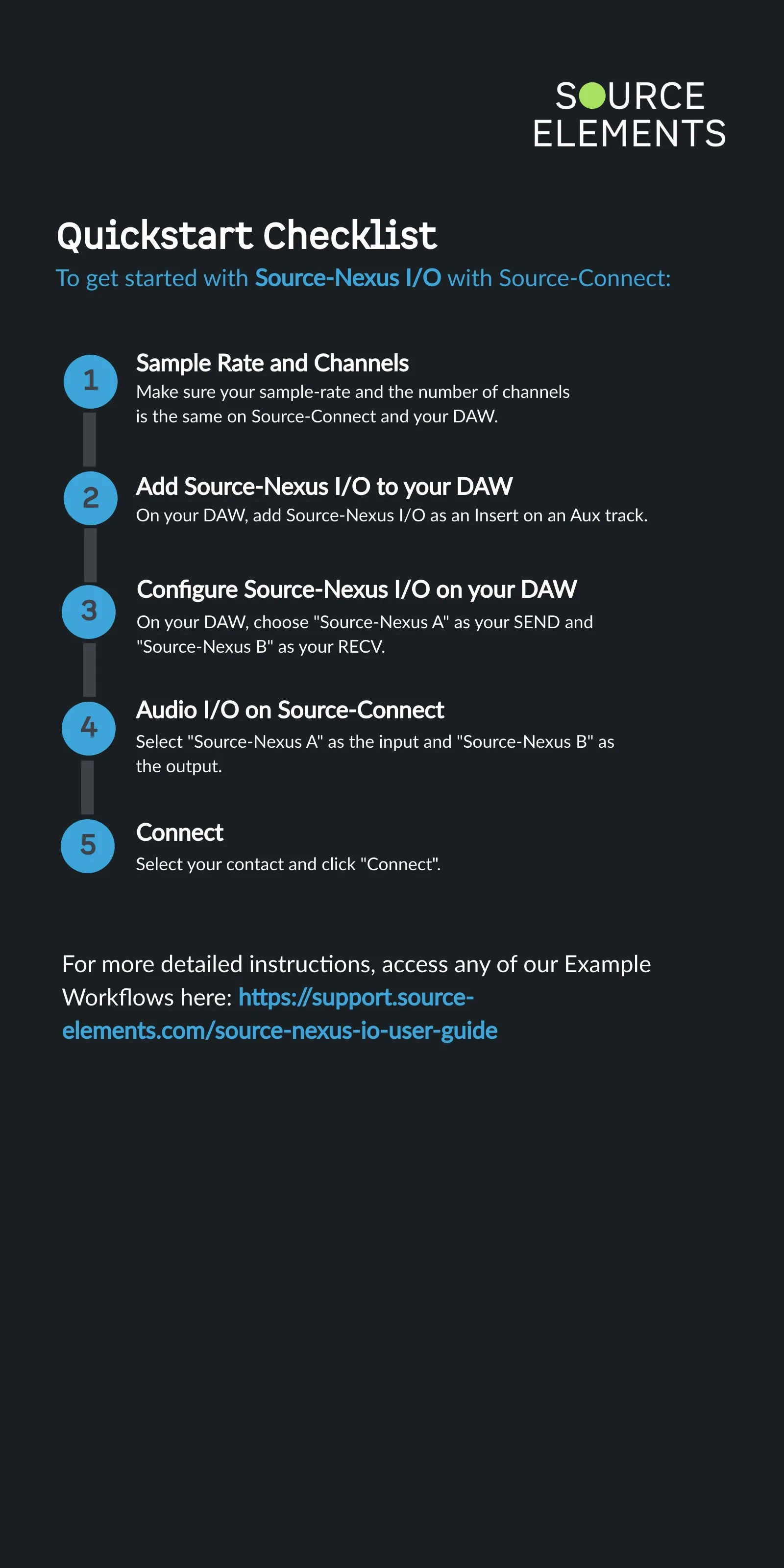
Get started with Source-Nexus I/O and Source-Connect
Open full size 1600 × 3200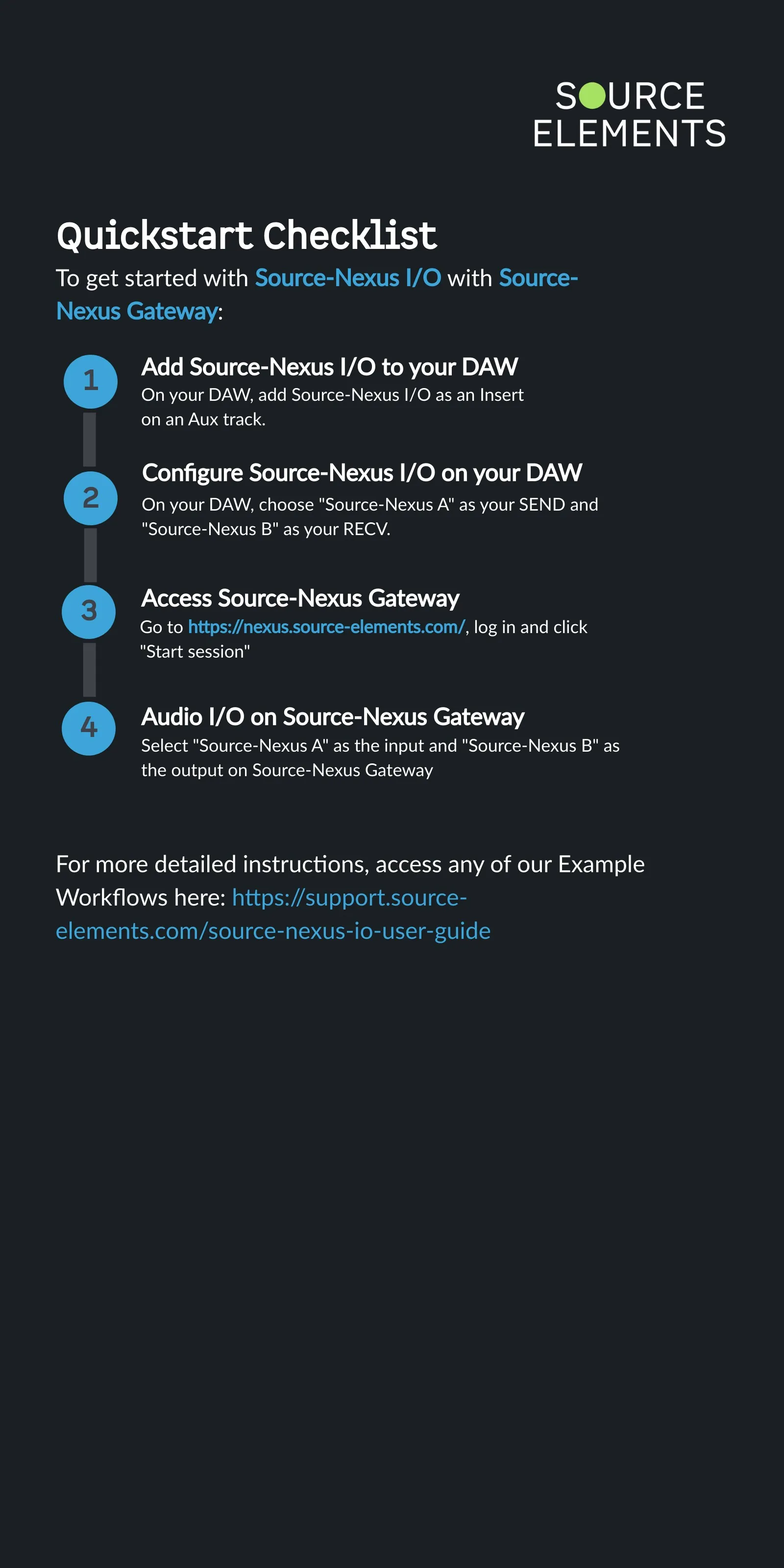
Work with Source-Nexus I/O and Source-Nexus Gateway
Open full size 1600 × 3200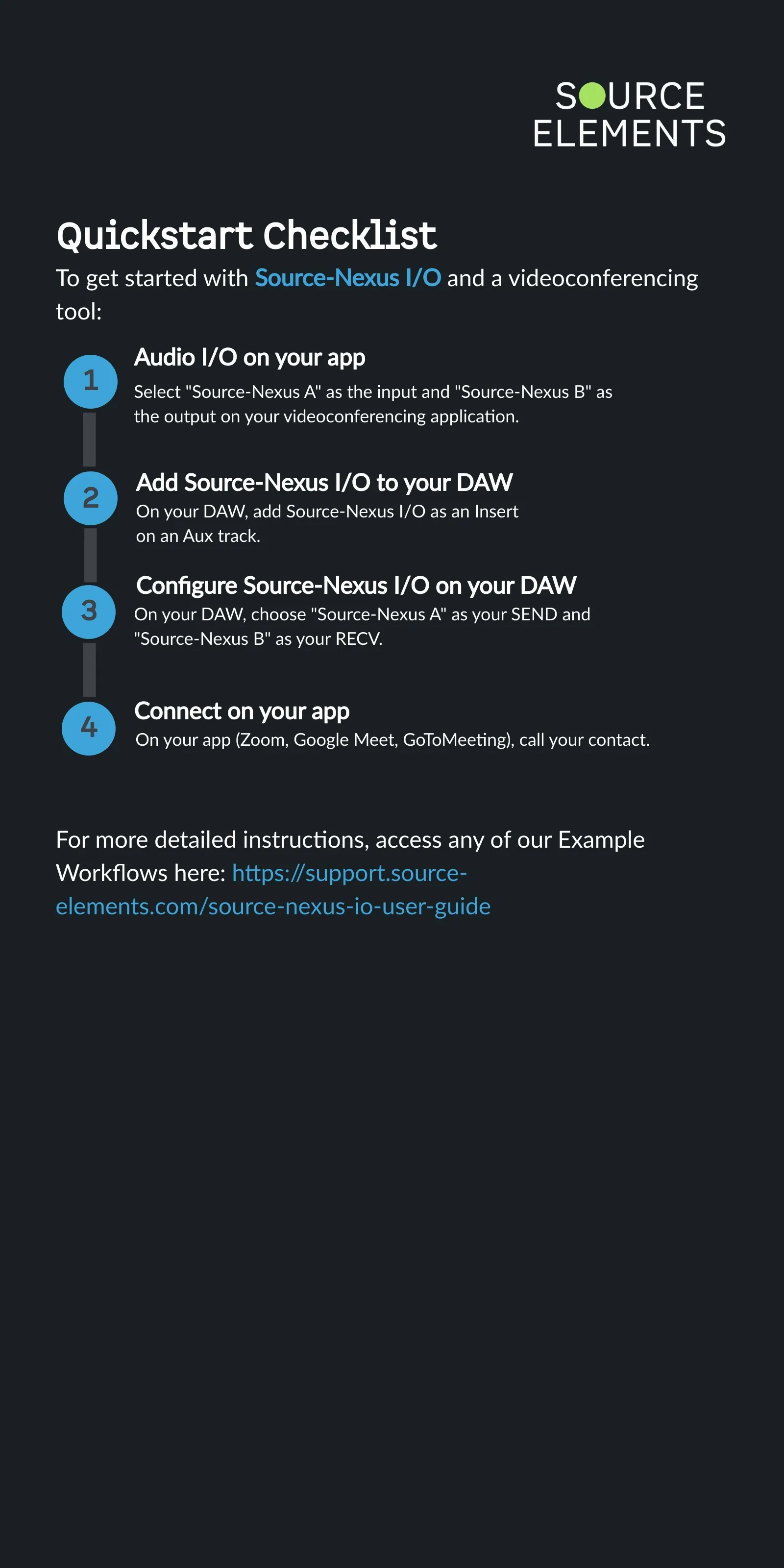
Get started with Source-Nexus I/O as a communication tool
Open full size 1600 × 3200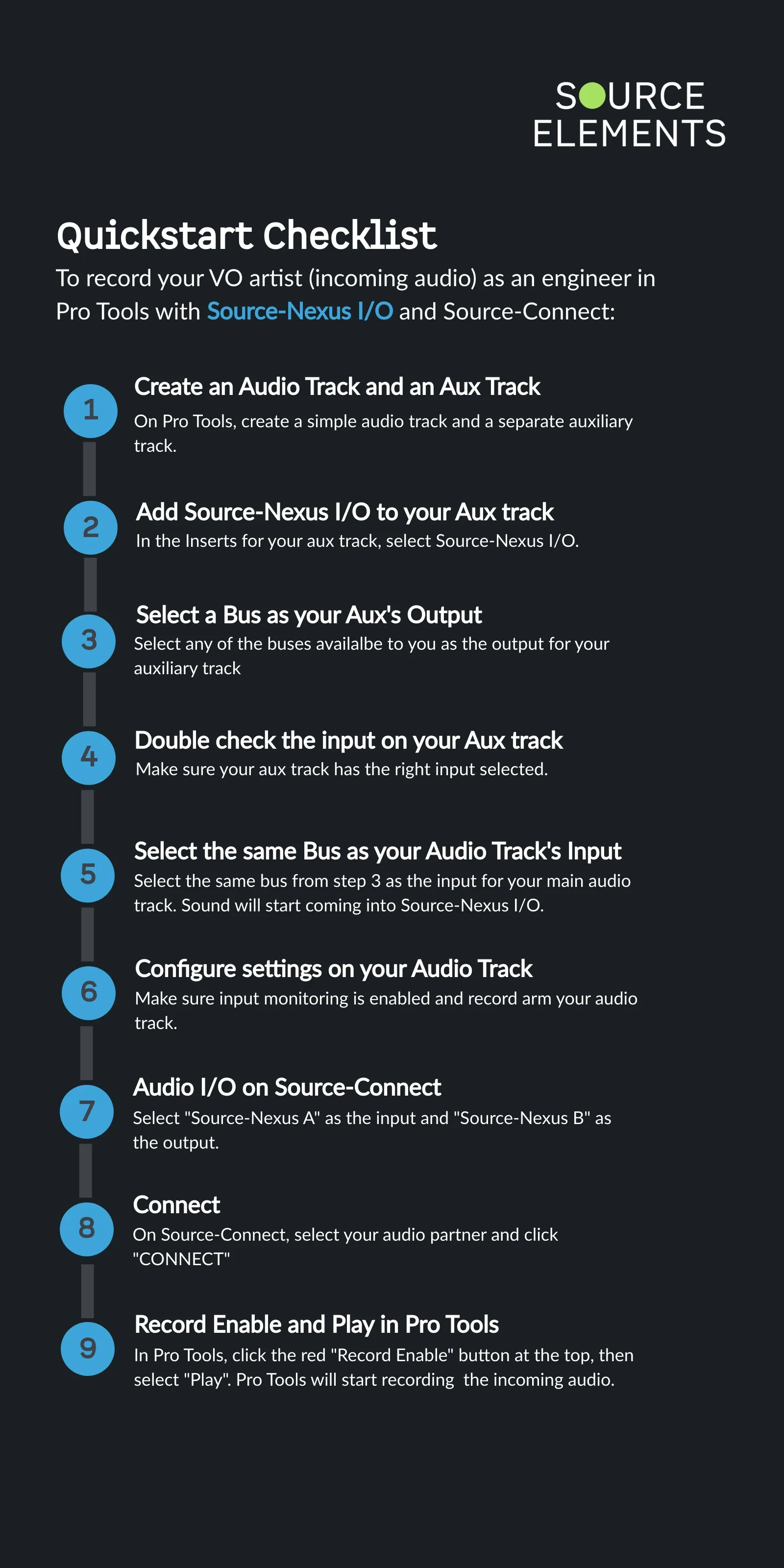
Recording your VO's audio on Pro Tools with Source-Nexus I/O
Open full size 1600 × 3200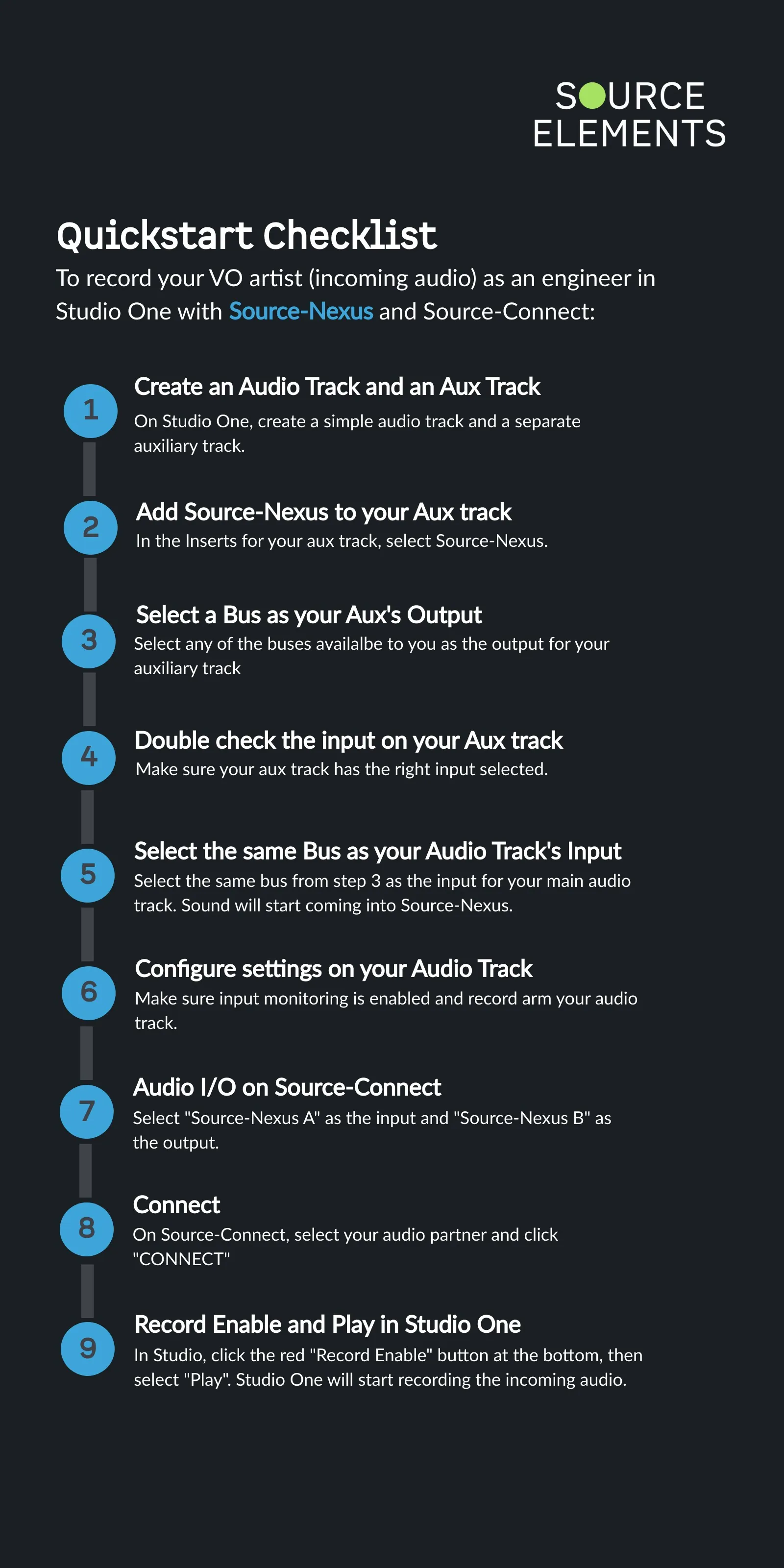
Recording your VO's audio on Studio One with Source-Nexus I/O
Open full size 1600 × 3200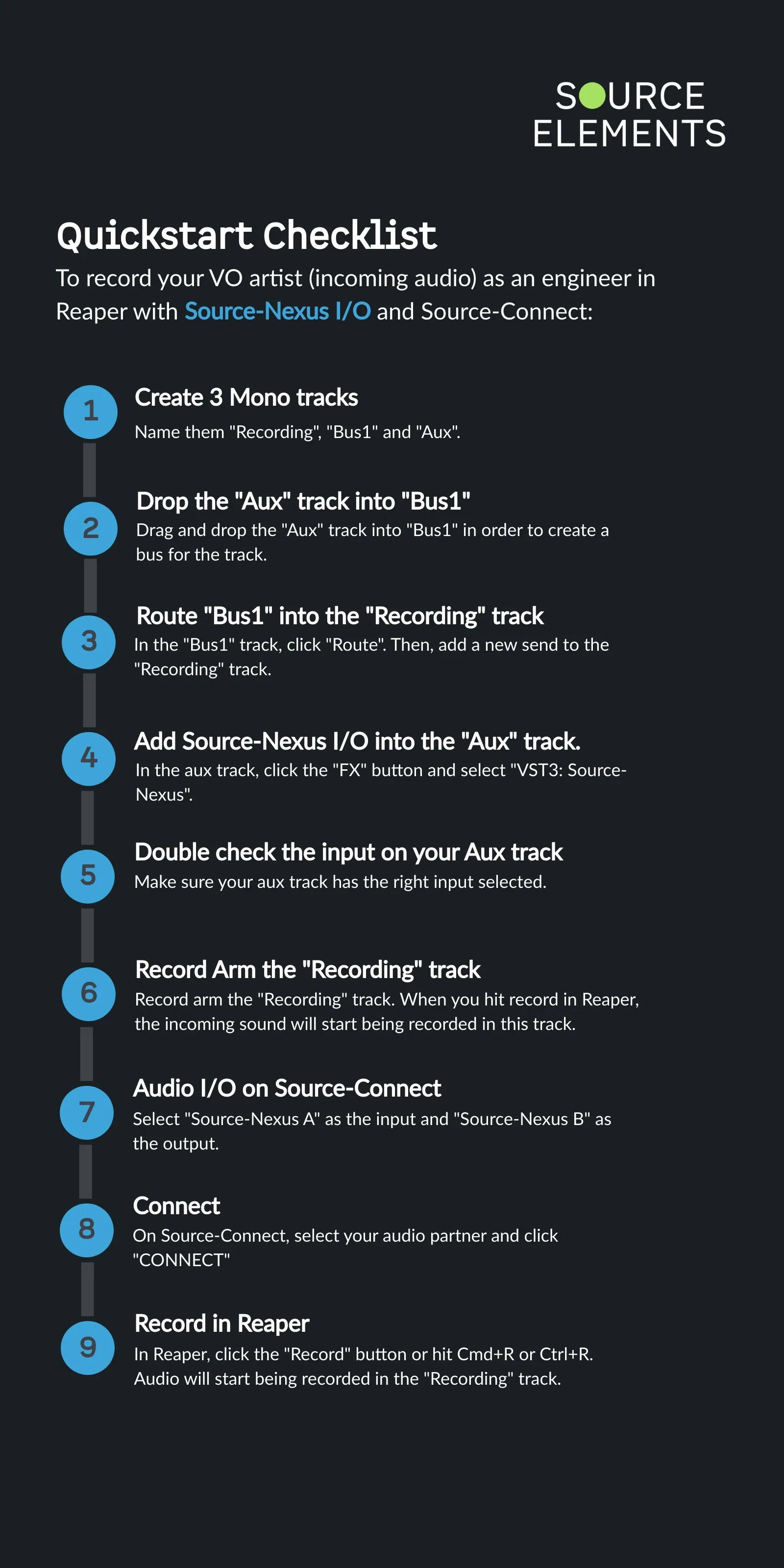
Recording your VO's audio on Reaper with Source-Nexus I/O
Open full size 1600 × 3200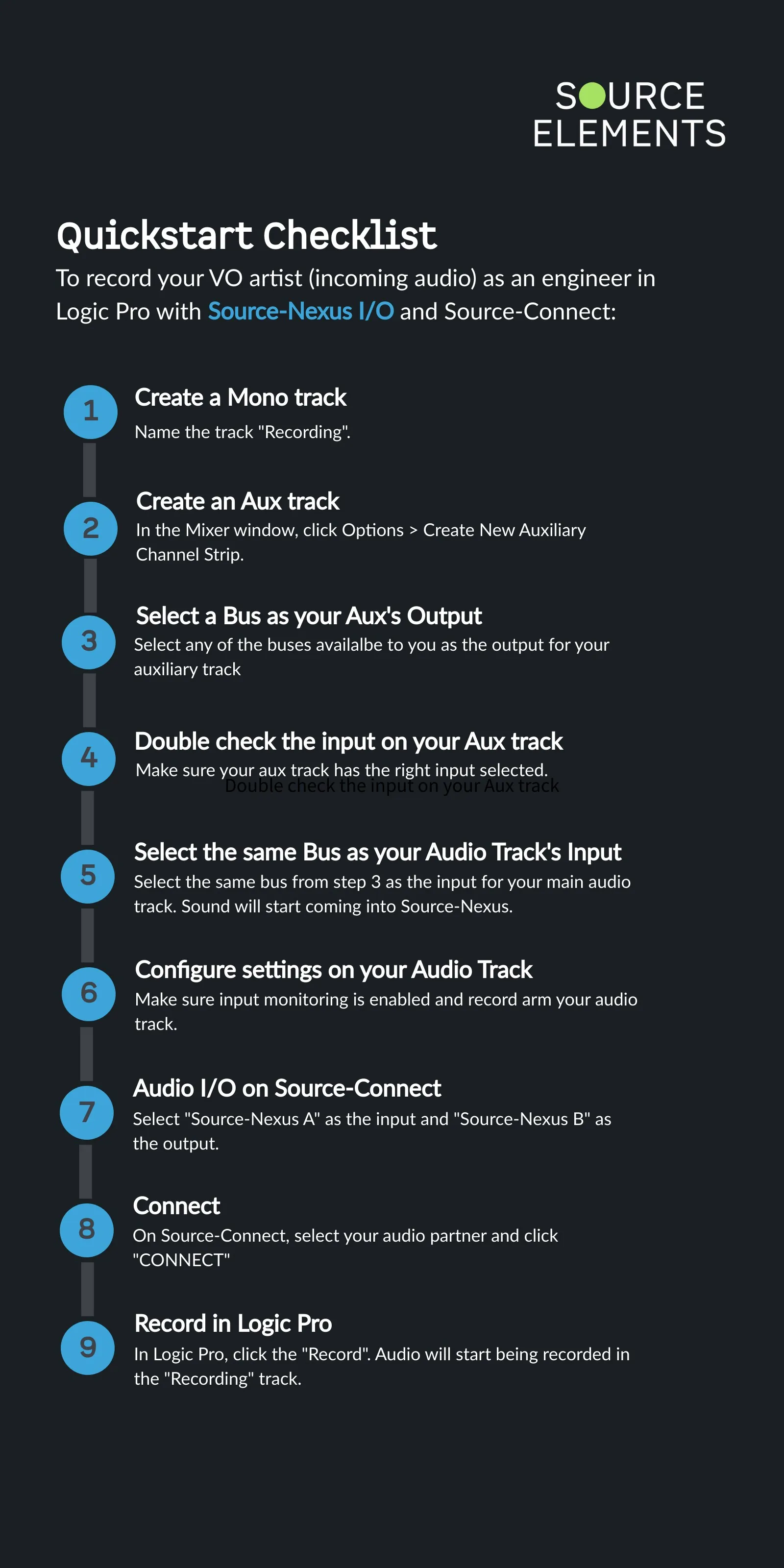
Recording incoming audio on Reaper with Source-Nexus I/O
This sheet covers Logic Pro.
Open full size 1600 × 3200Source-Live Pro LL 2
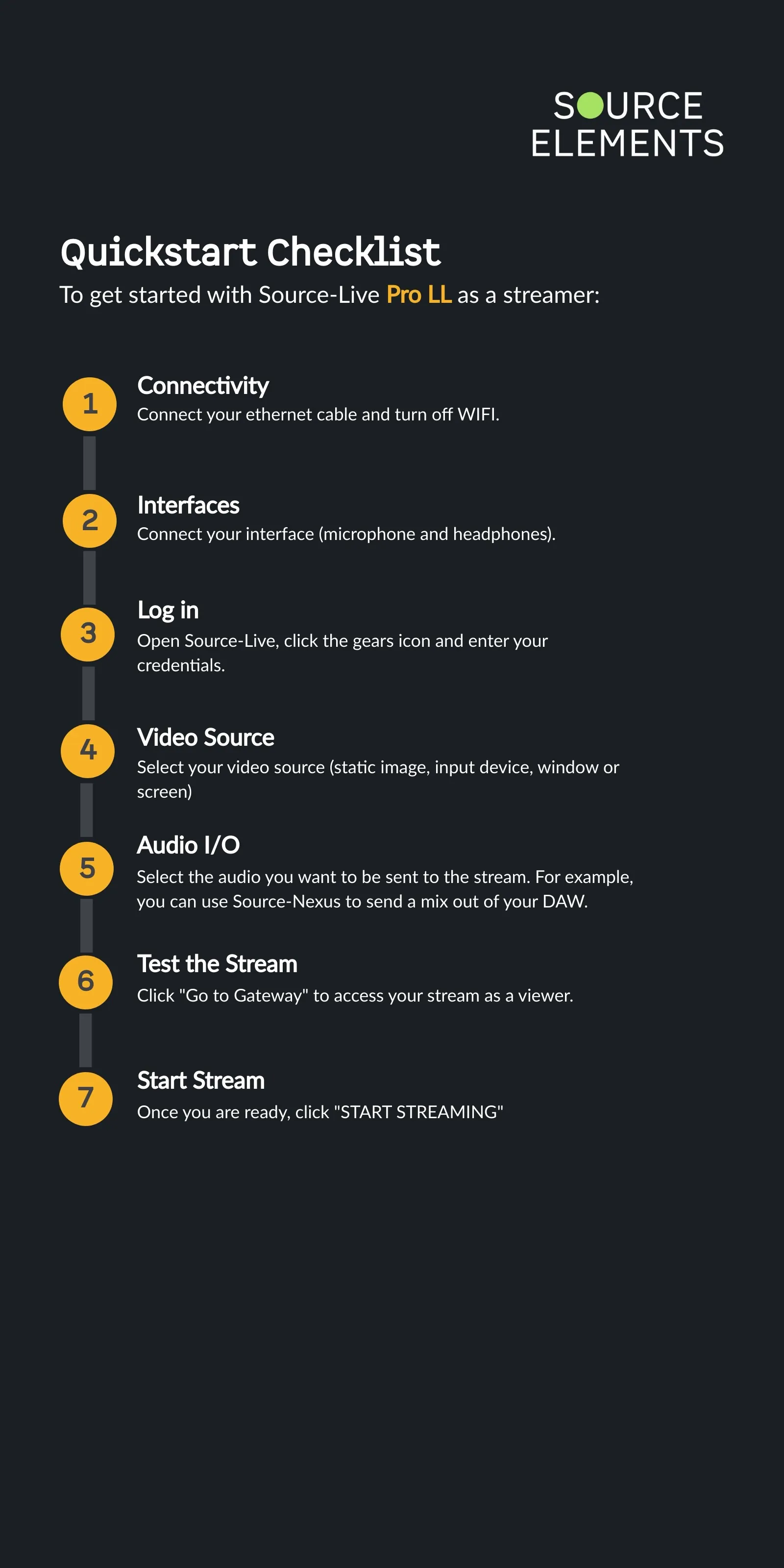
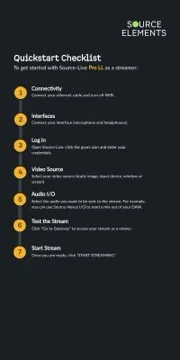
Get started with Source-Live Pro LL as a streamer
Open full size 1600 × 3200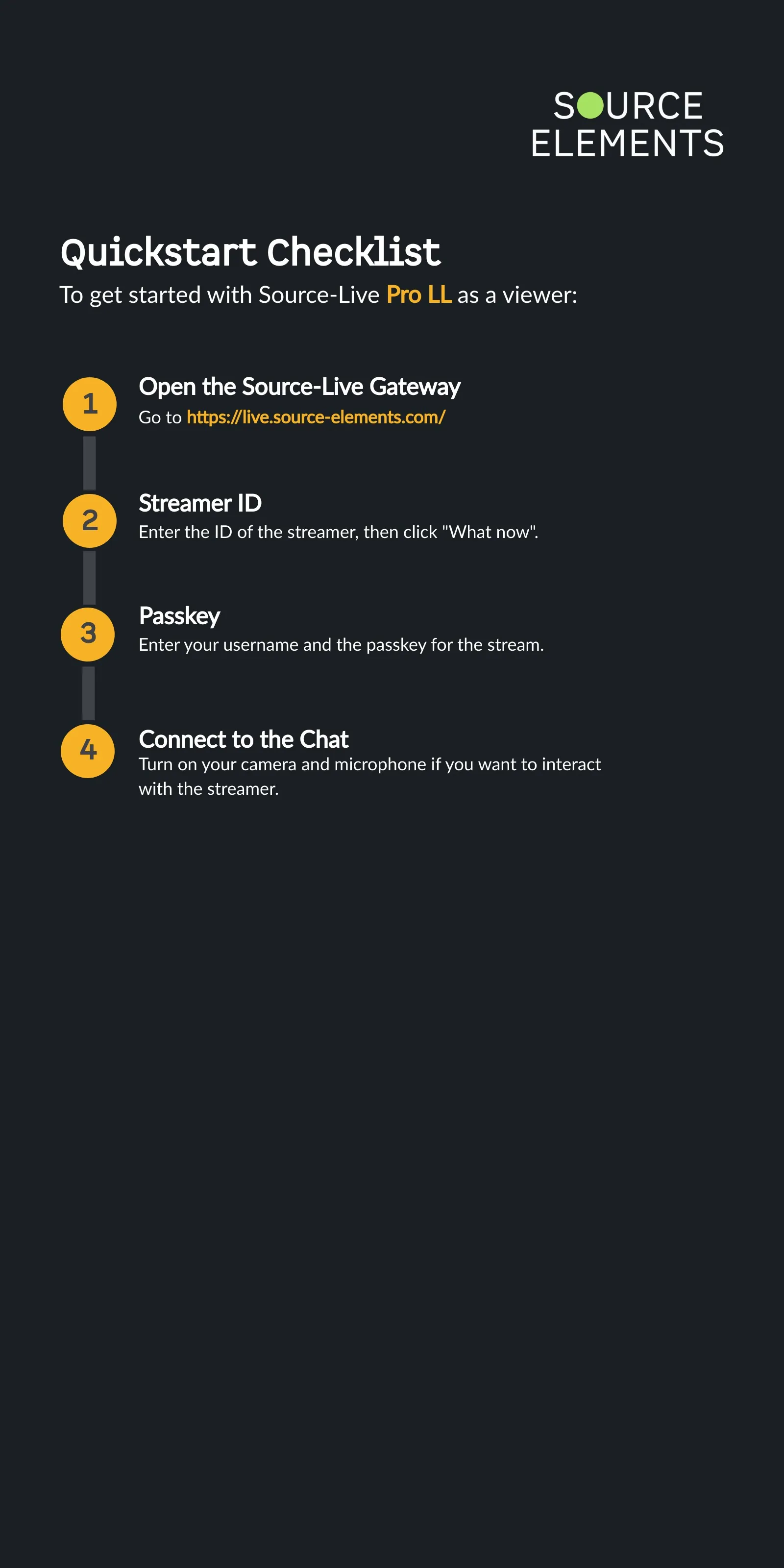
Get started with Source-Live Pro LL as a viewer
Open full size 1600 × 3200User Dashboard 13
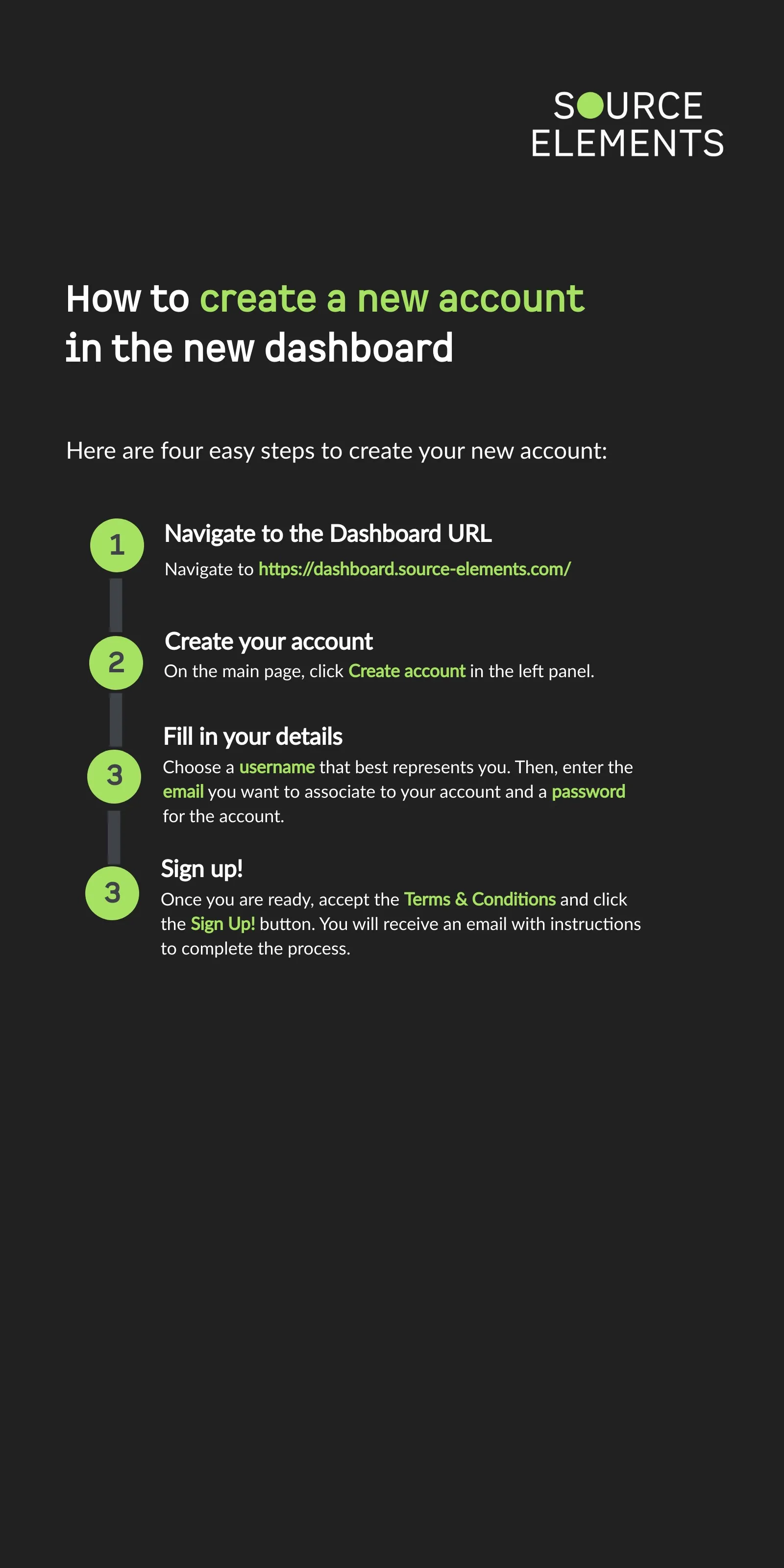
How to create an account in the new dashboard
Open full size 1600 × 3200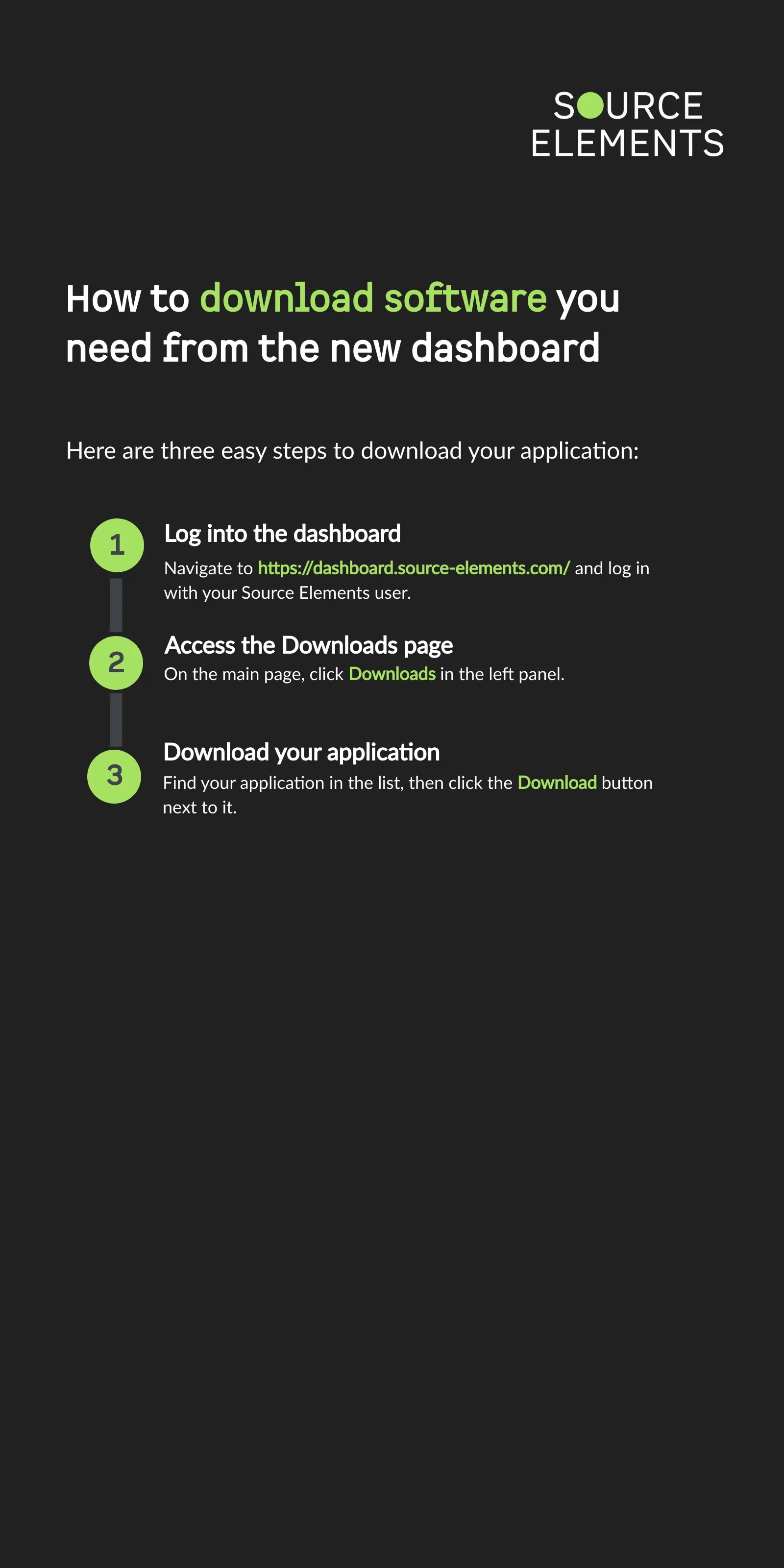
How to access Downloads in the new dashboard
Open full size 1600 × 3200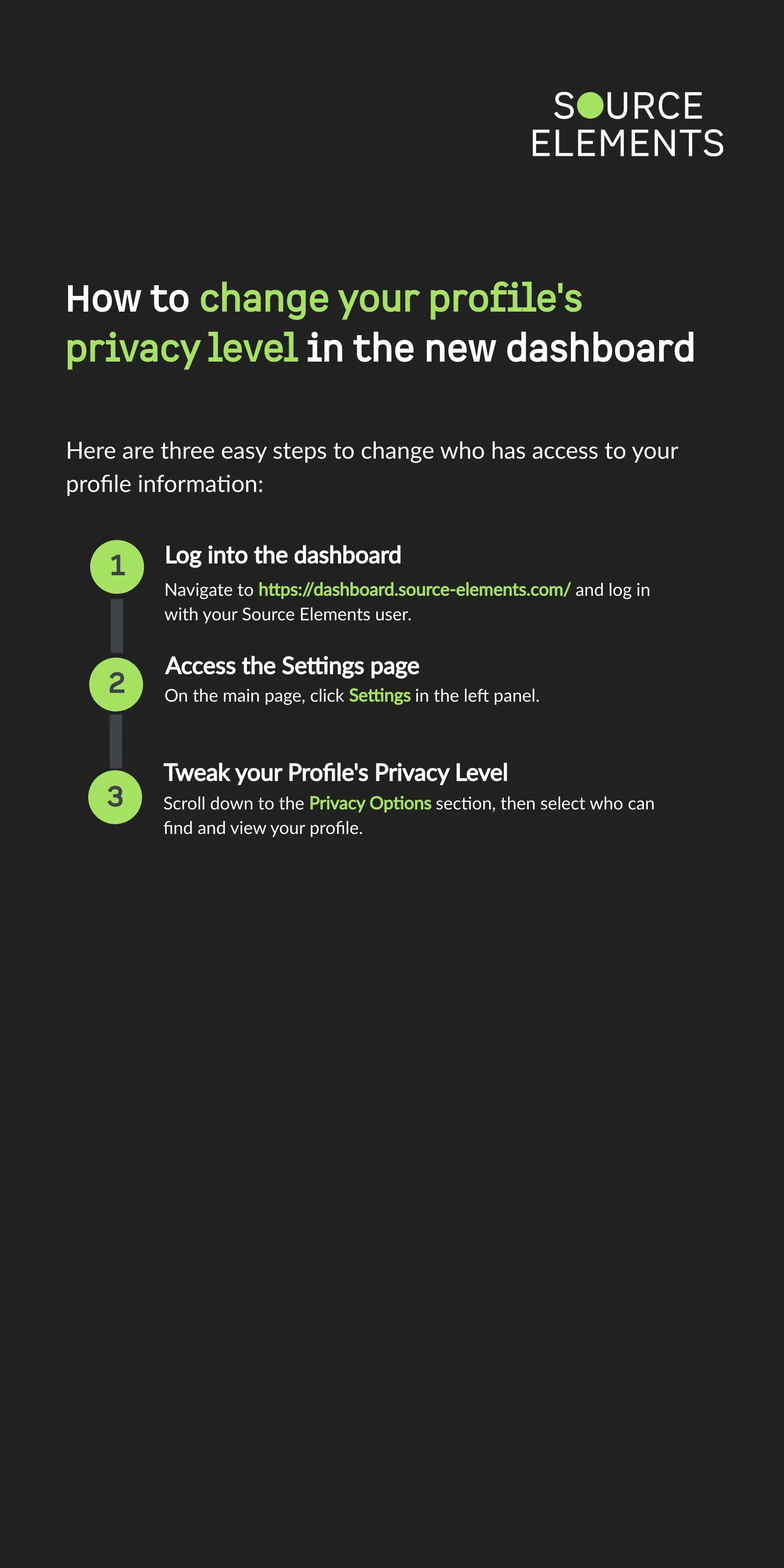
How to change your privacy settings in the new dashboard
Open full size 1600 × 3200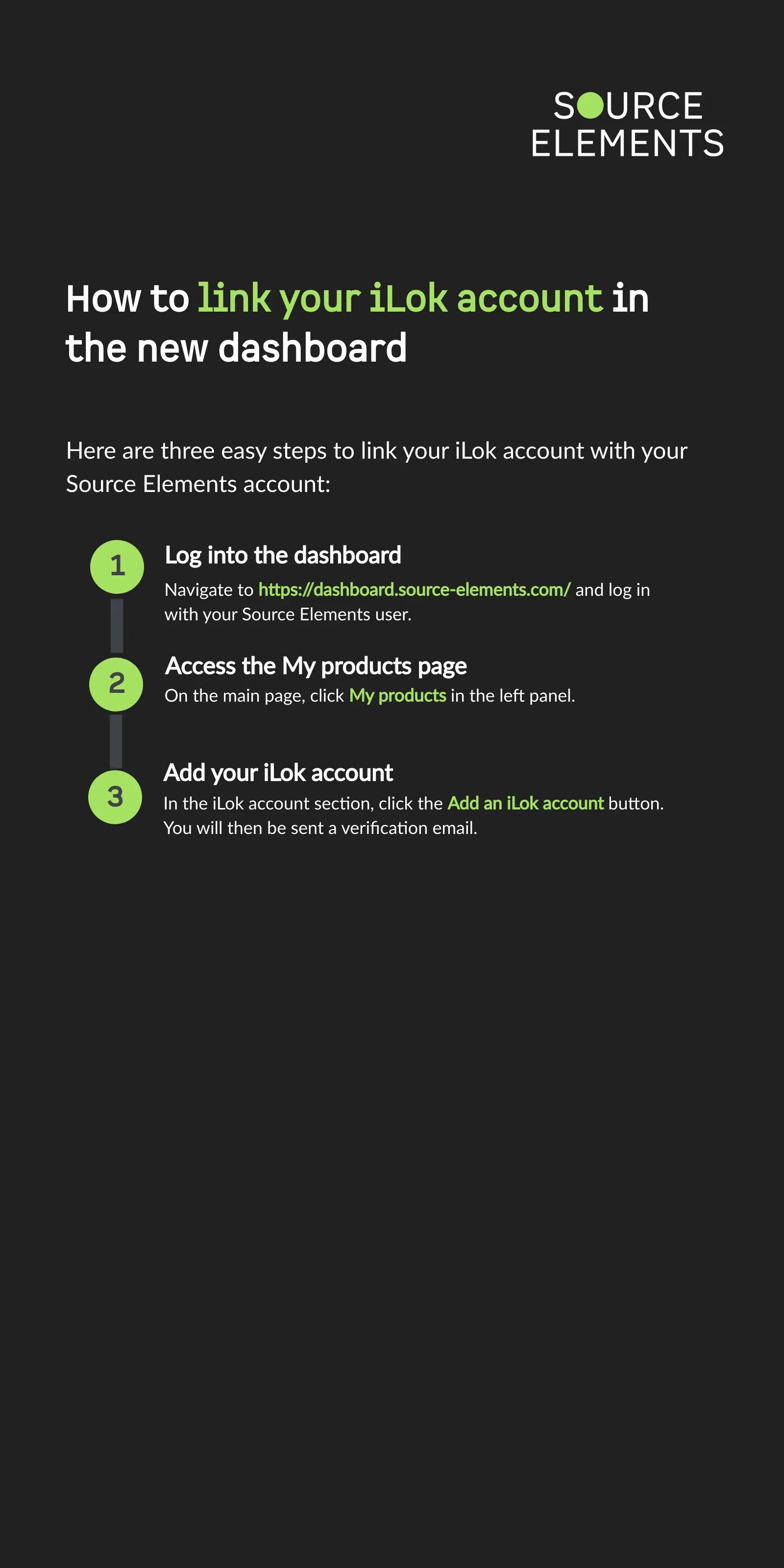
How to add an iLok to your account in the new dashboard
Open full size 1600 × 3200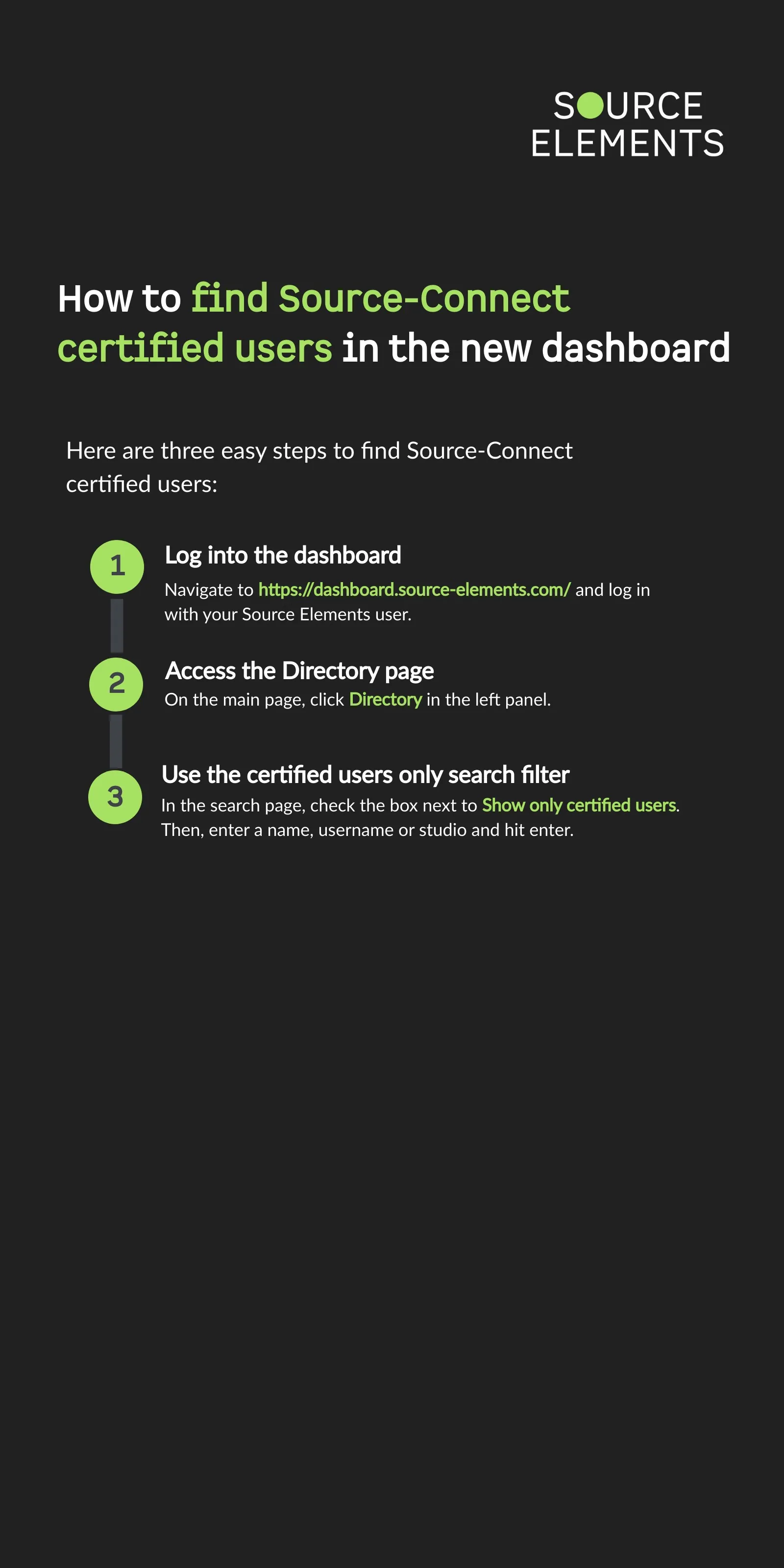
How to search for certified users in the Find a Source page
Open full size 1600 × 3200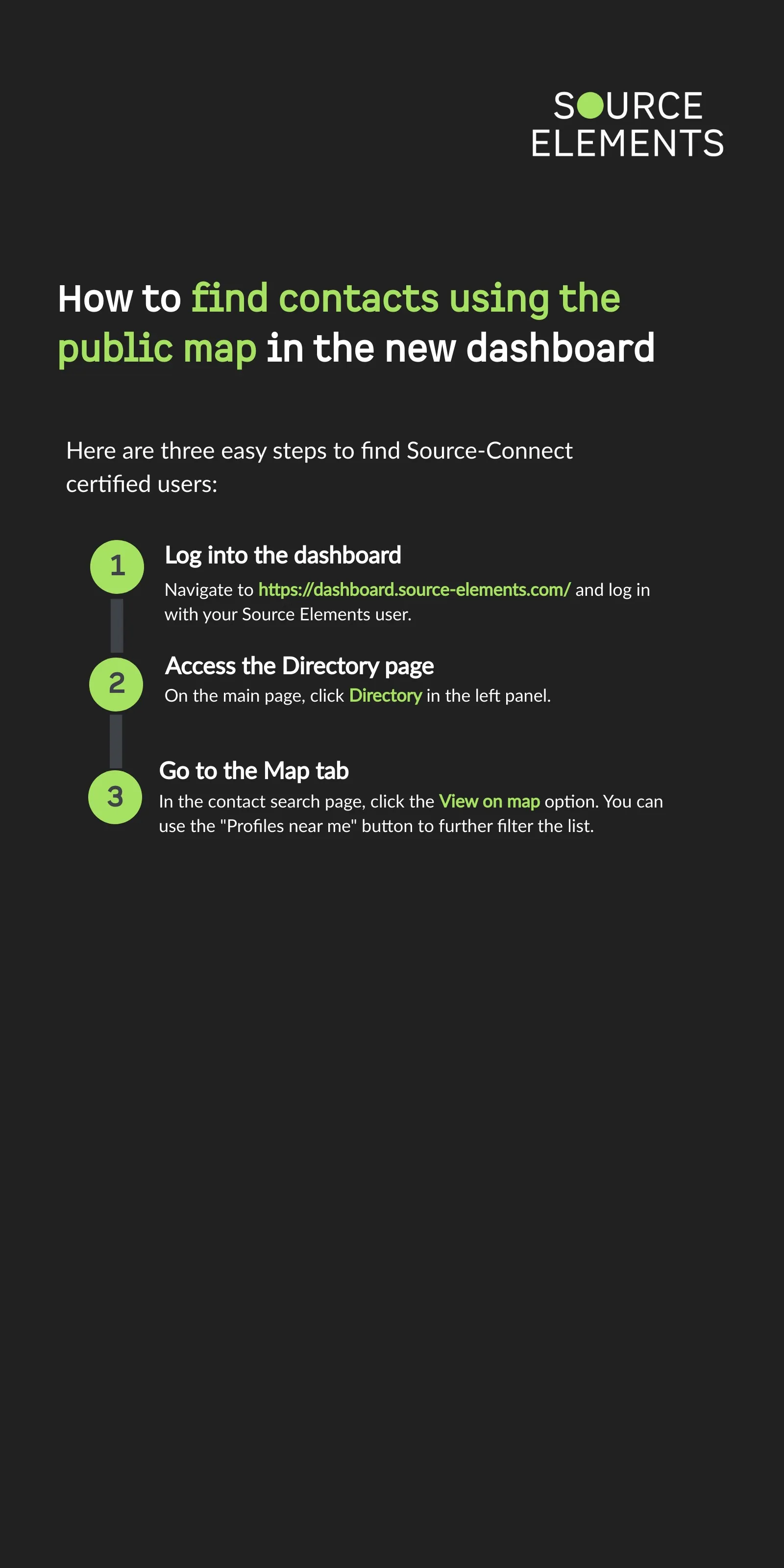
How to show users on the map in the Find a Source page
Open full size 1600 × 3200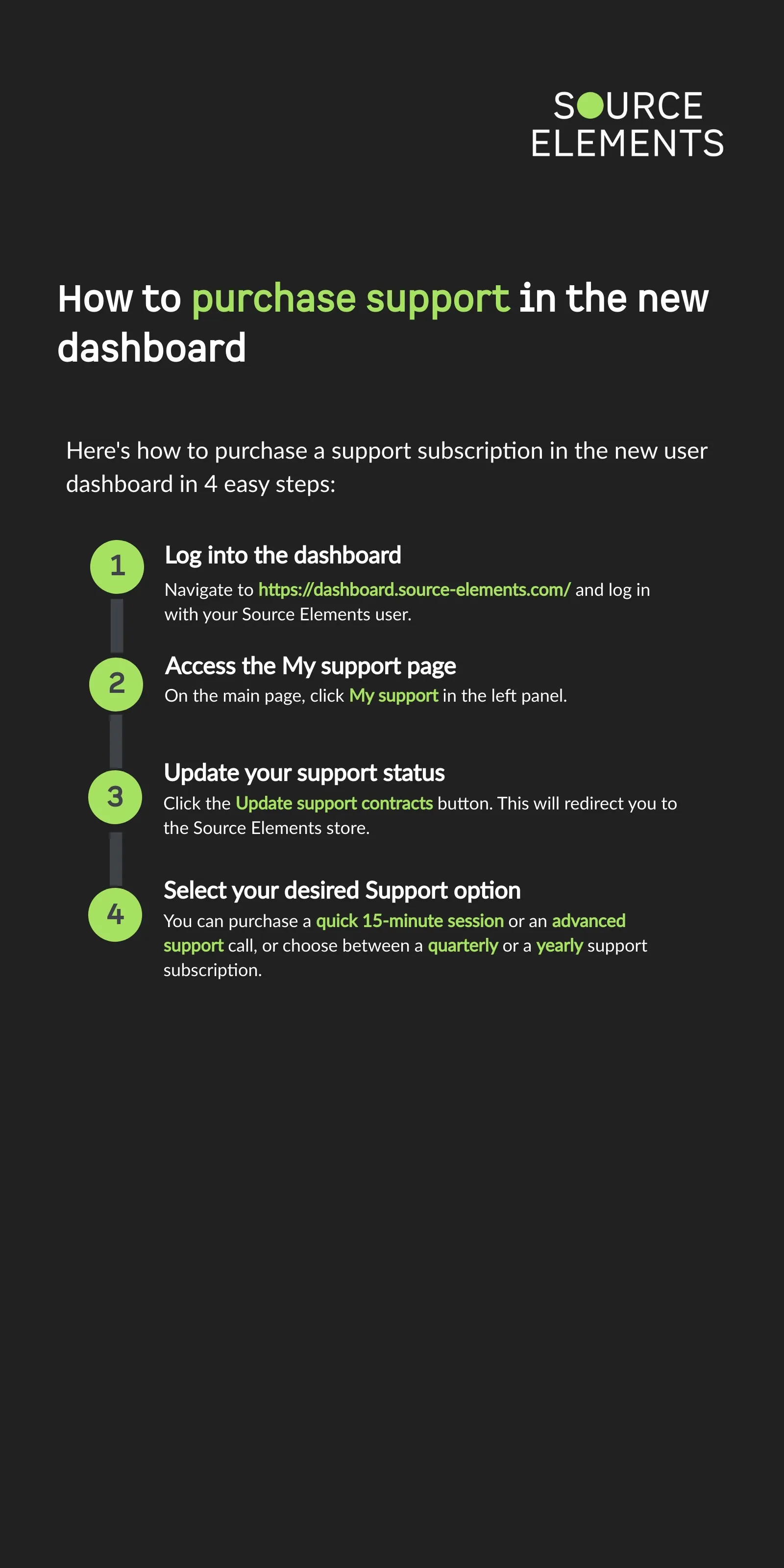
How to purchase support in the new dashboard
Open full size 1600 × 3200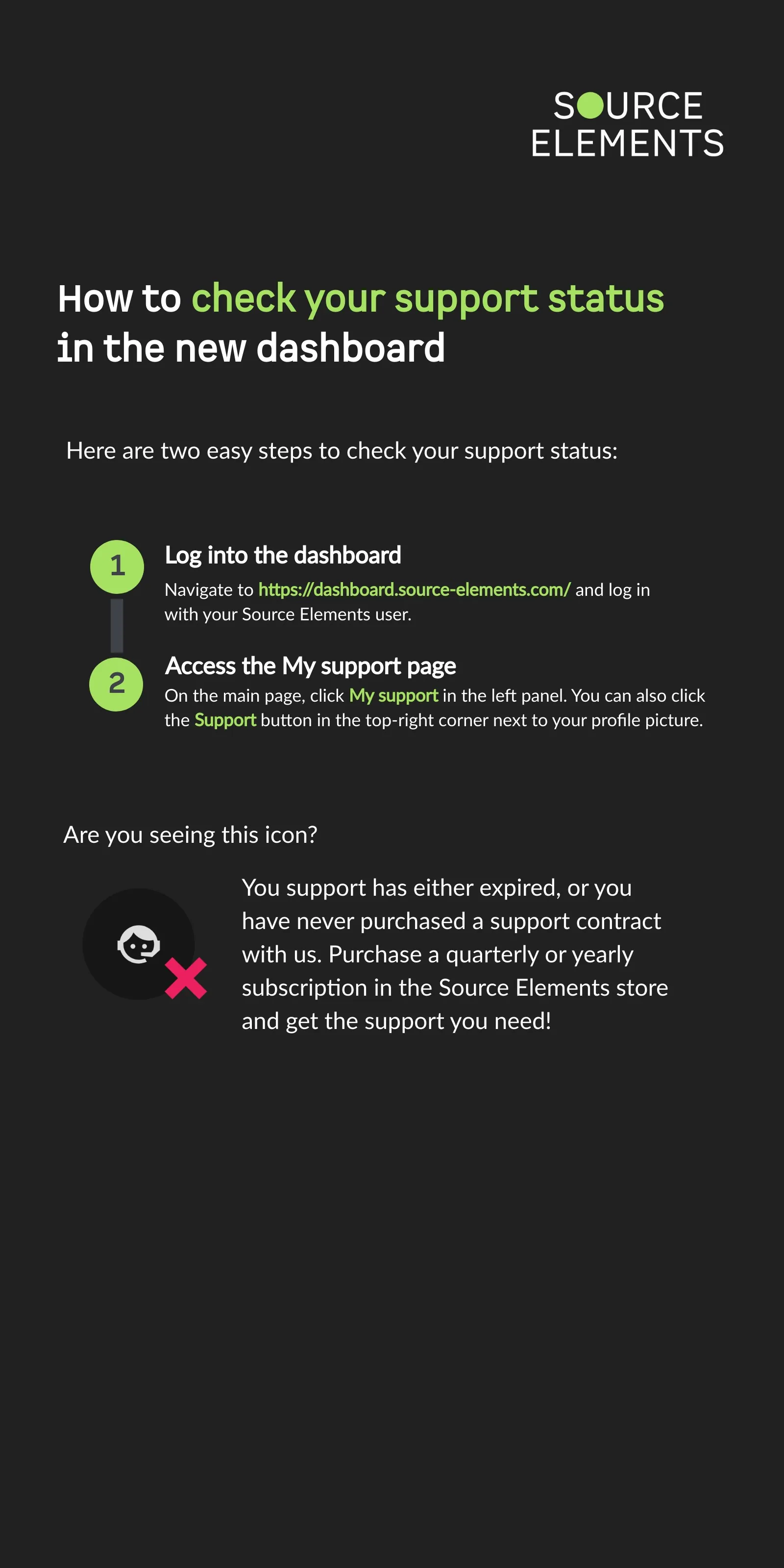
How to check your support status in the new dashboard
Open full size 1600 × 3200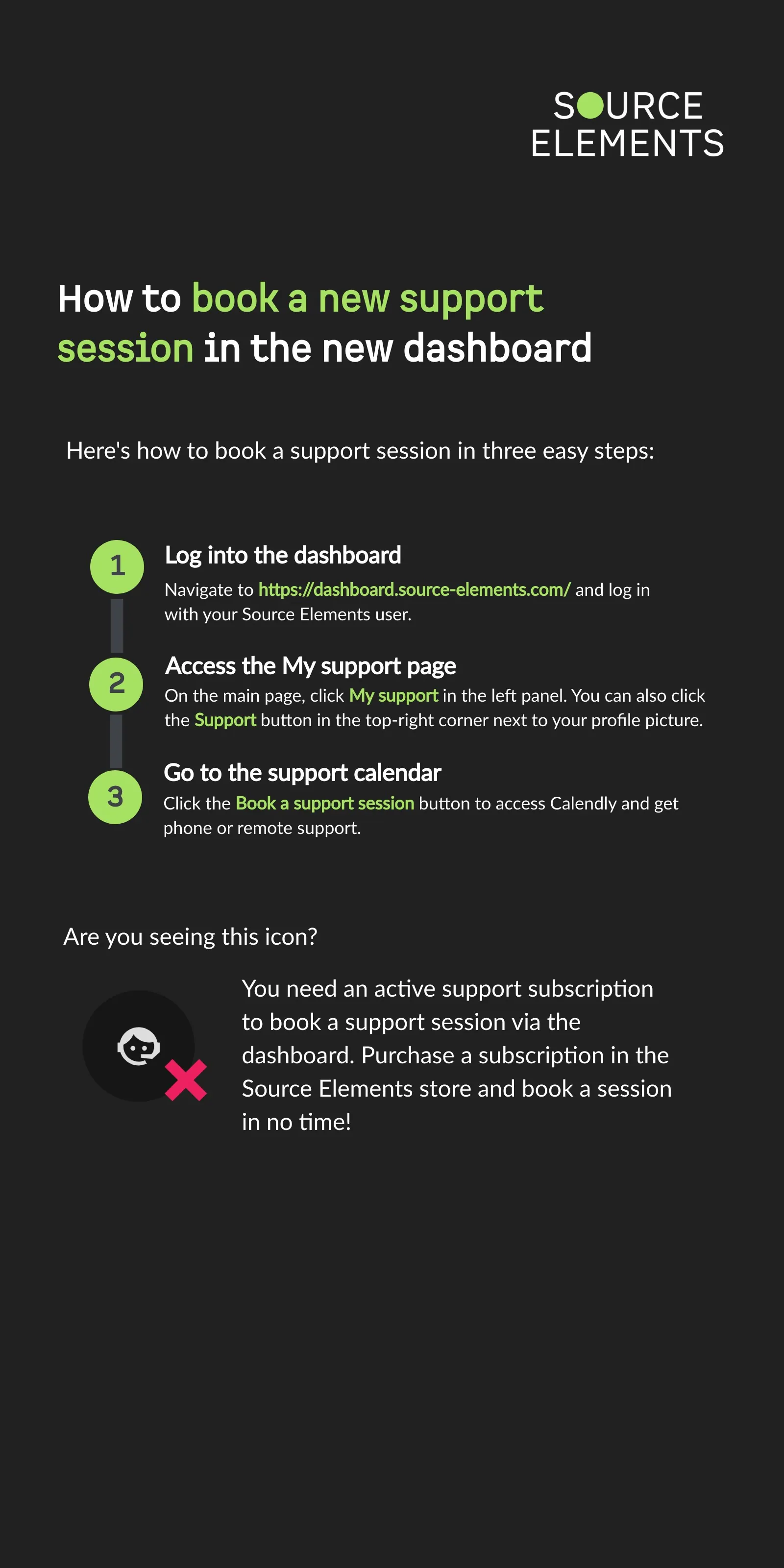
How to book a support session in the new dashboard
Open full size 1600 × 3200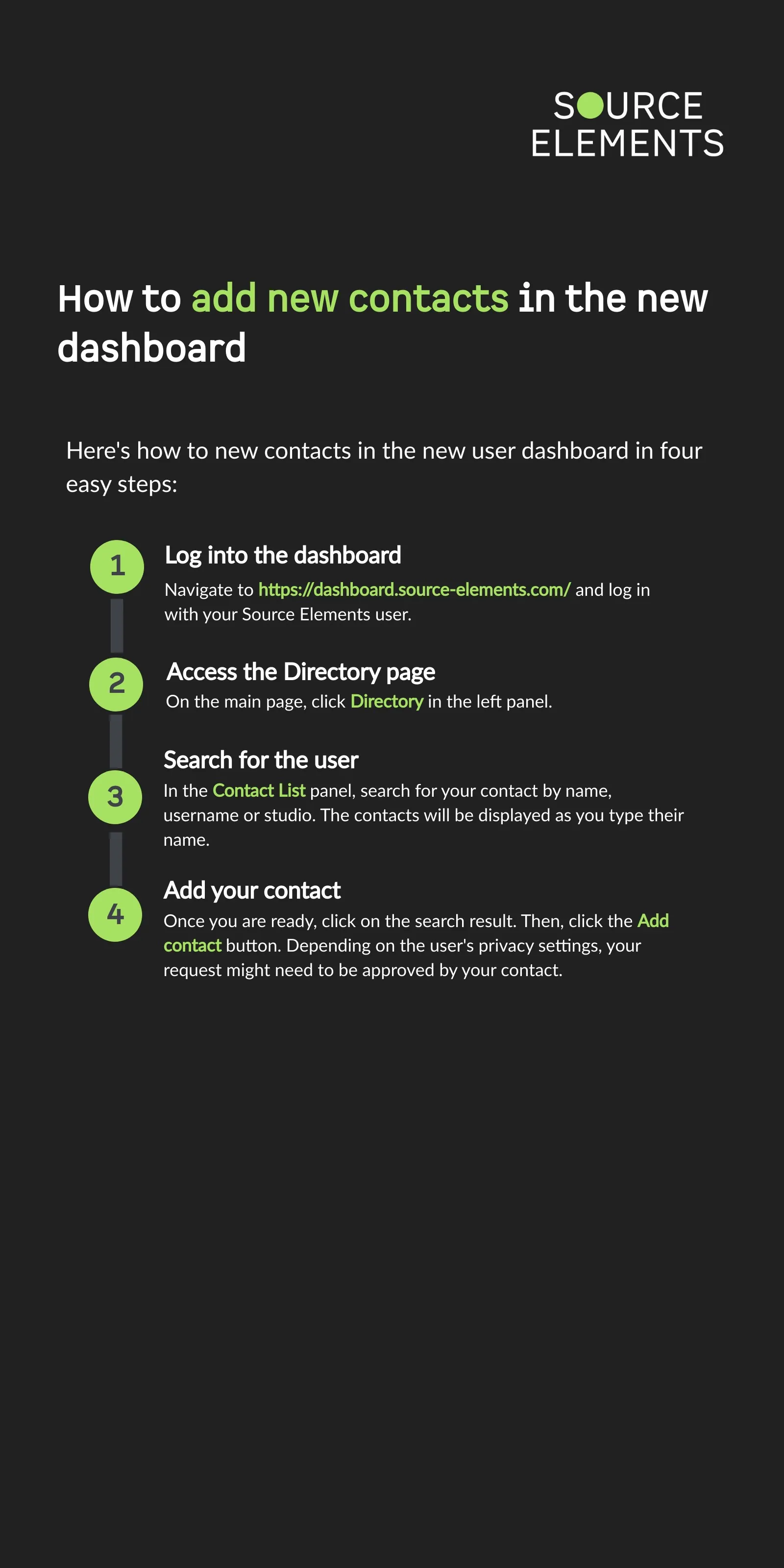
How to add new contacts in the Find a Source page
Open full size 1600 × 3200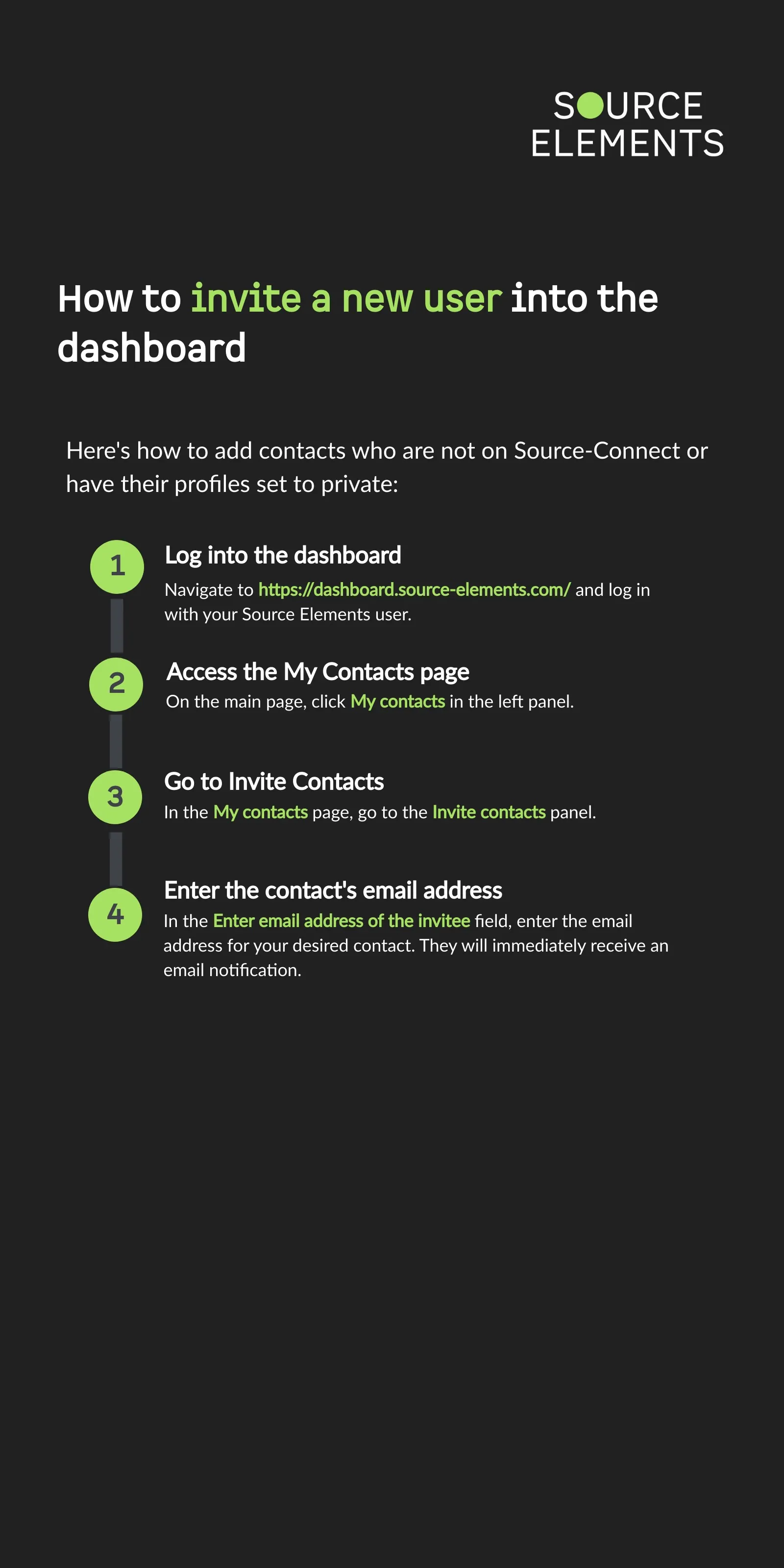
How to invite a new user in the new dashboard
Open full size 1600 × 3200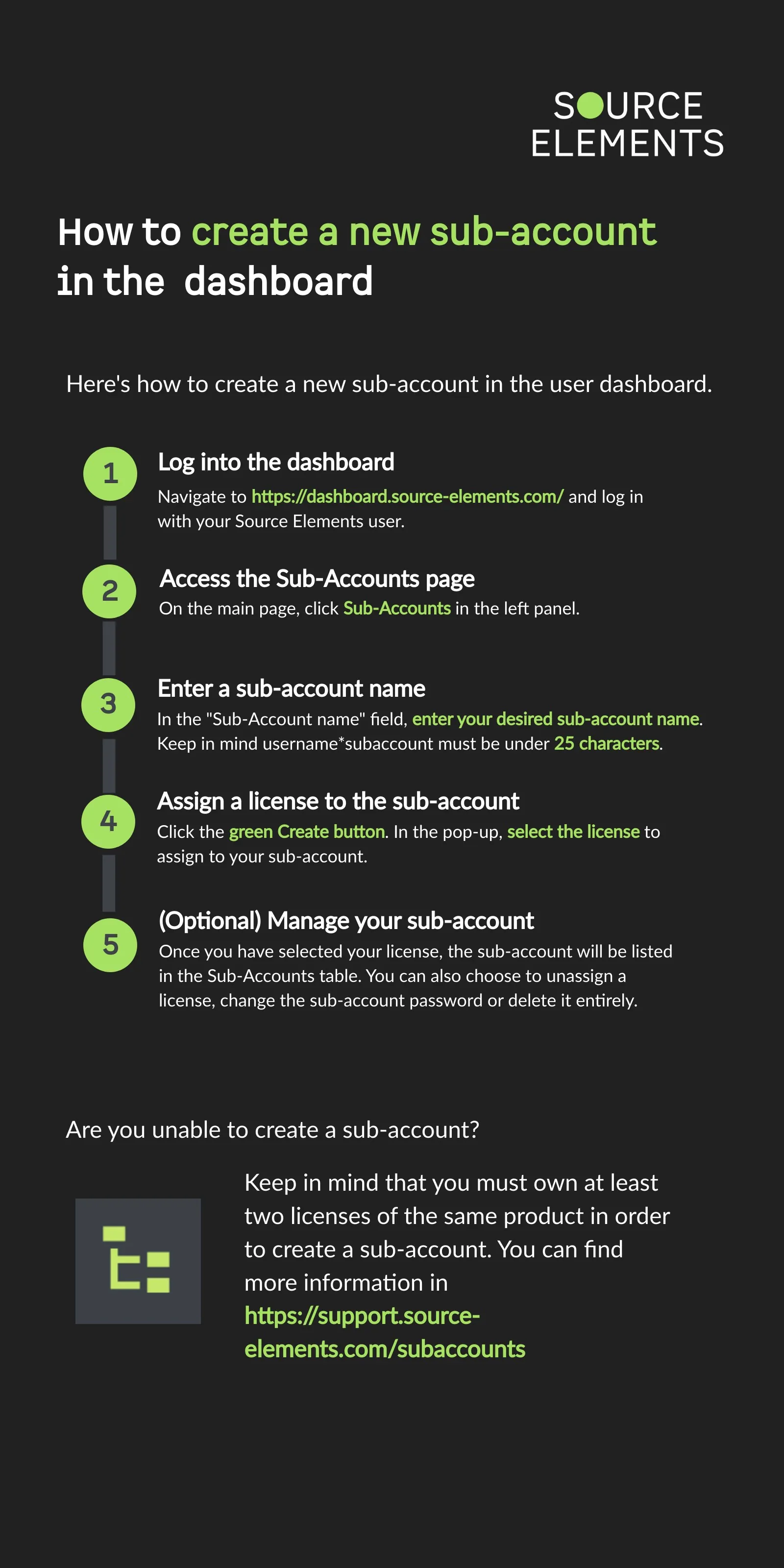
How to create a new sub-account in the dashboard
Open full size 1600 × 3200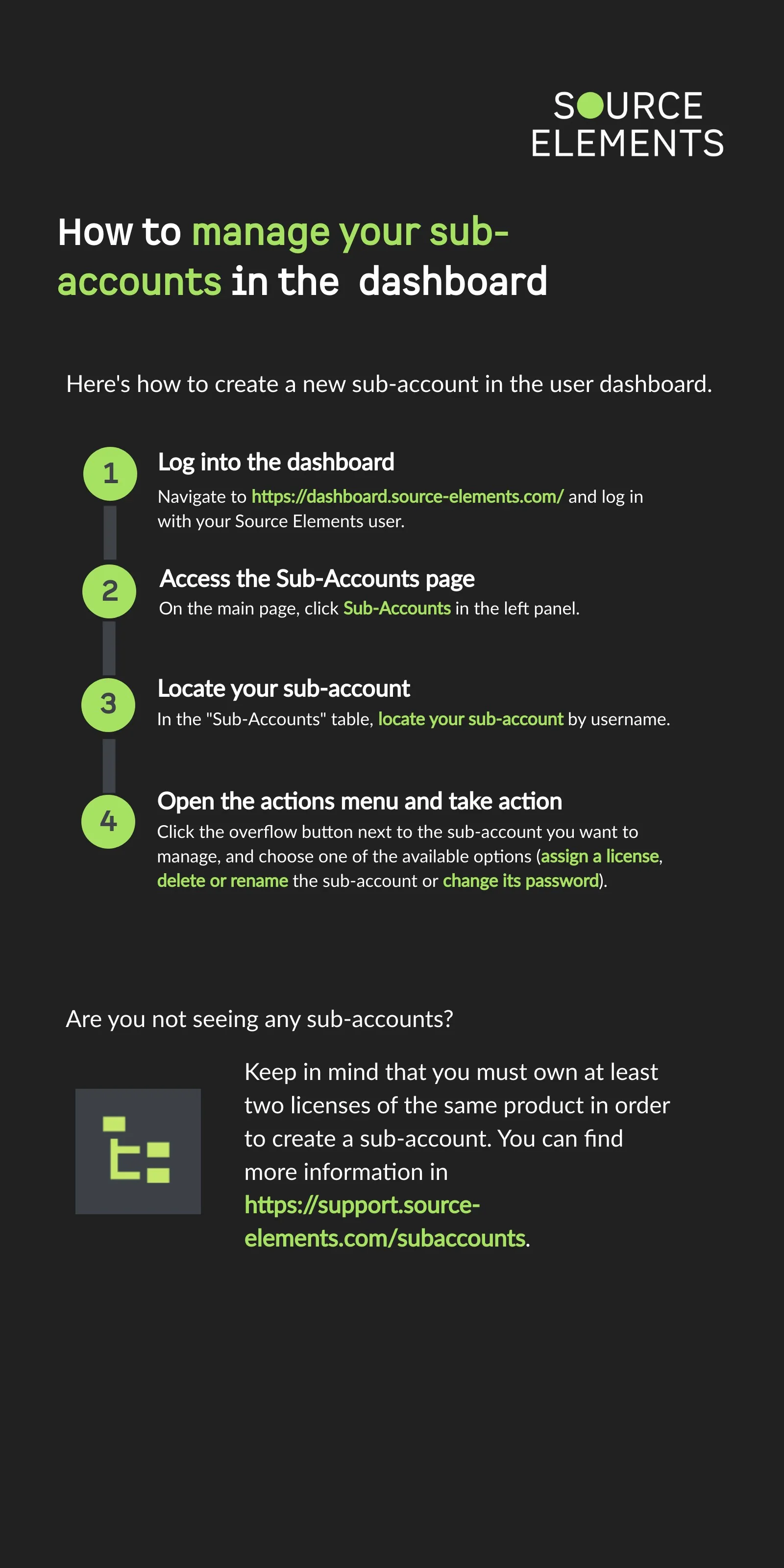
Managing your sub-accounts in the dashboard
Open full size 1600 × 3200No sheet matches that. or search the full Knowledge Base.
Need one that isn’t here?
More quick sheets are on the way for the rest of the range. If there is one you would find useful, tell us and we will look at publishing it.