
Source-Nexus Suite · macOS + Windows

The complete virtual collaboration studio.

Route audio across any desktop app, record multi-participant video sessions, and review real-time immersive mixes. Source-Nexus Suite unites high-fidelity routing plugins with a browser-based control room for complete workflow command.

Freemium available  |  No credit card required  |  Browser + plugins

One suite, every stage of the session

A solution for every stage of the creation process and every creative role — with AAX, AU and VST3 plugins for macOS and Windows.

Source-Nexus Gateway recording a multi-participant video session, with each guest’s video and audio captured on its own track

Source-Nexus Gateway

Video Podcast Recording & Mix Review

“Studio-grade video podcasting and remote reviews in one room.”

Host remote video podcast recordings or live mix reviews in full HD with clients. Guests join with a single click. Capture individual multi-track HD video and audio streams locally.

User guide →
Source-Nexus Review: talkback blended with program audio on the mix bus, with echo cancelled

Source-Nexus Review

The Internal Patchbay for The Automated Mix-Minus Engine

“Instant mix-minus setup with zero feedback loops.”

Set up 1-click automated mix-minus setups and client talkback loops directly inside your DAW faders — ensuring remote guests hear pristine playback without hearing an echo of their own voices.

  • 1-click automated mix-minus — eliminate client echo and return loops instantly
  • Integrated talkback control — manage studio talkback and main mix audio from a single plugin
  • Seamless browser integration — link DAW review sends directly to web rooms without complex busing
User guide →
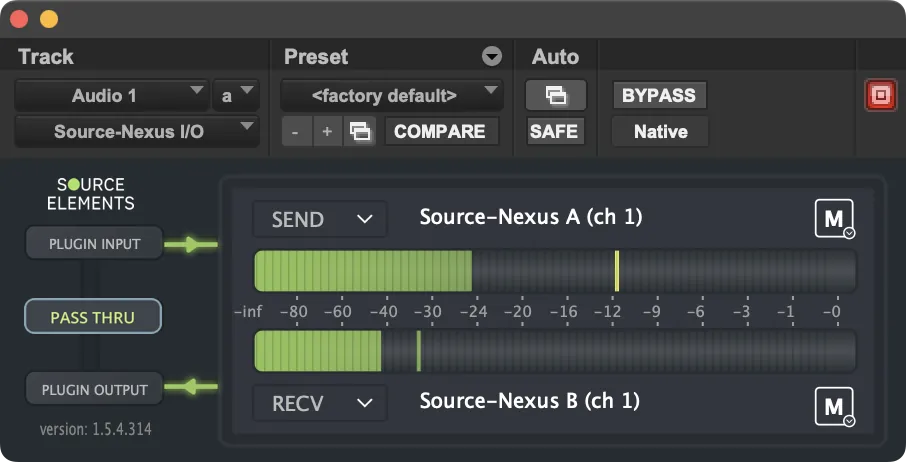
Source-Nexus I/O: four DAW outputs patched to Source-Connect, Gateway, a browser recorder and local monitoring

Source-Nexus I/O

Software DAW Bridge

“Insert desktop applications straight into fader channels.”

Insert any desktop application or browser feed directly onto your DAW track faders as an active send/return loop — AAX, VST, and AU supported.

  • Direct DAW track routing — patch desktop audio straight to channel faders without aggregate devices
  • Universal plugin support — native AAX, VST, and AU formats for Pro Tools, Logic, Reaper, and Cubase
  • Zero physical hardware cabling — route clean application audio inside your digital workstation
User guide →
Source-Nexus Router patchbay showing four cross-routed audio connections

Source-Nexus Router

The Internal Patchbay

“Route any app, anywhere—no physical cables.”

Patch audio seamlessly between AAX, VST, and AU hosts or desktop apps (Zoom, YouTube, Spotify, Premiere) with sample-rate conversion up to 192 kHz.

User guide →
Source-Nexus Mute-On: mute automation lanes driven by the DAW transport’s Play, Rec and Idle states

Source-Nexus Mute-On

Smart Automation

“Automated studio talkback.”

Mute or dim your talkback mic automatically whenever your DAW timeline is playing.

User guide →
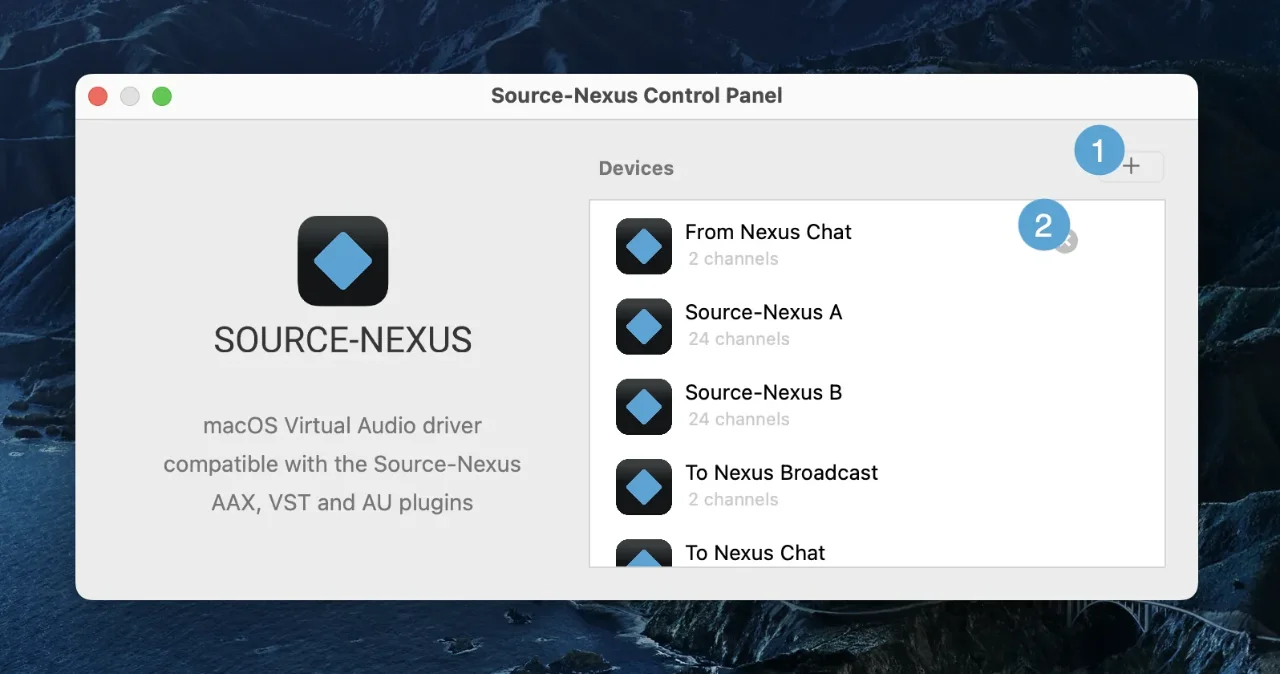
Source-Nexus Control Panel: named virtual audio devices being created with their own channel counts

Source-Nexus Control Panel

Virtual Driver Engine

“Create custom virtual audio devices in seconds.”

Create, name, and configure virtual CoreAudio audio drivers instantly — up to 64 channels per driver with built-in sample rate conversion up to 192 kHz.

  • Up to 64 channels per driver — build multi-channel virtual audio devices in seconds
  • Instant sample rate conversion — mix and match different audio applications up to 192 kHz
  • Driver management & preset storage — name, save, and recall custom driver layouts for any session
User guide →

Flawless remote sessions from any meeting

Instant conferencing

Invite clients with an email link to your video conference — work together within a couple of clicks.

HD screen-sharing

Share your screen at up to 4K 60fps, adapting down gracefully for strict networks.

Mix apart from talkback

Share your mix at full quality on a separate stream while noise reduction and echo cancellation run on your talkback audio.

Session-ready in seconds

No more complicated routing — a single Source-Nexus Review instance on your DAW mix fader does it all.

Route without headaches

Route to and from your DAW and audio applications — save and load your settings for each project.

Teach and train

Connect educators, vocal trainers and music teachers so everyone hears each other in perfect quality.

Who Source-Nexus Suite is built for

  1. For Audio Engineers, Mixers & Post-Facilities

    Source-Nexus gives audio engineers a complete virtual patchbay to route up to 64 discrete channels of high-resolution audio between AAX, VST, and AU hosts, desktop apps, and browsers at sample rates up to 192 kHz. Host HD video mix reviews with instant 1-click browser access for clients, complete with dedicated talkback and mix-minus management.

  2. For Musicians, Songwriters & Producers

    Source-Nexus allows musicians to stream ultra-low latency, 512 kbps studio-quality audio directly from their DAW timeline into a private, secure browser session. Collaborators listen live in uncompressed stereo quality without downloading software or creating an account.

  3. For Video Podcasters & Media Producers

    Record remote interview shows with studio-grade reliability. Capture isolated, high-definition video feeds and local WAV tracks for every guest without cloud dropouts.

  4. For Sessions with Someone Listening In

    Route pristine audio straight to whoever is reviewing, over the browser, while isolating client talkback automatically. Keep your communications active even when restarting your DAW session—no echo, no feedback loops, and zero complex hardware routing.

  5. For Educators, Universities & Audio Schools

    Equip audio labs and virtual classrooms with professional-grade remote instruction tools. Source-Nexus Suite lets instructors stream high-fidelity DAW audio, share software screens, and manage multi-guest talkback in a single browser window. Students hear precise EQ, compression, and spatial audio adjustments in real time, giving them authentic studio experience from any remote location.

  6. For Dolby Atmos & Spatial Audio Engineers

    Use the native Apple Binaural Downmixer plugin to monitor real-time Spatial Audio headphone renders inside your DAW.

  7. For Film Editors & Post-Production Teams

    Stream video timeline edits from Premiere, Final Cut Pro, or Resolve straight to remote directors while maintaining crisp talkback communication.

The meeting platform built for audio professionals.

Stream up to 512kbps stereo with the Opus codec, HD video, screen sharing and a built-in browser recorder — guests join with a link, no install required.

  • Multi-track video recording — capture each guest’s HD video and audio as its own local track
  • Isolated streams — talkback and DAW output travel separately
  • Browser PCM recorder — capture up to 90 minutes locally
  • Passkey-protected sessions — secure rooms with picture-in-picture

Need more than HD? Source-Live takes the same room to UHD 60fps, timecode-locked and watermarked.

Source-Nexus Gateway hosting a live room: four guests on video, each with their own level meter, and the session's main levels across the top
Source-Nexus Review: talkback blended with program audio on the mix bus, with echo cancelled
CLIENT LISTENING

The Automated Mix-Minus Engine

Set up 1-click automated mix-minus setups and client talkback loops directly inside your DAW faders — ensuring remote guests hear pristine playback without hearing an echo of their own voices.

  • 1-click automated mix-minus — eliminate client echo and return loops instantly
  • Integrated talkback control — manage studio talkback and main mix audio from a single plugin
  • Seamless browser integration — link DAW review sends directly to web rooms without complex busing
Review user guide

Software DAW Bridge

Insert any desktop application or browser feed directly onto your DAW track faders as an active send/return loop — AAX, VST, and AU supported.

  • Direct DAW track routing — patch desktop audio straight to channel faders without aggregate devices
  • Universal plugin support — native AAX, VST, and AU formats for Pro Tools, Logic, Reaper, and Cubase
  • Zero physical hardware cabling — route clean application audio inside your digital workstation
I/O user guide
Source-Nexus I/O open on a DAW track: the plugin’s SEND and RECV slots patched to Source-Nexus A and B, with input and output meters running
SEND / RECV ACTIVE

Source-Nexus Router

How do I route audio between applications?

Route audio between applications, devices and browser sessions like a physical patch bay — up to 1024 channels, saved and recalled as presets for every project.

1024 channelsPreset templatesDevice aggregation
Router user guide
Source-Nexus Router patchbay showing four cross-routed audio connections
4 ROUTES ACTIVE

Can I mute talkback automatically when recording?

Advanced mute automation — track behavior driven by Play, Rec and Idle transport states or your own custom triggers.

Mute-On user guide
Source-Nexus Mute-On: mute automation lanes driven by the DAW transport's Play, Rec and Idle states
TRANSPORT LINKED
The Source-Nexus Control Panel listing virtual audio devices — From Nexus Chat, Source-Nexus A and Source-Nexus B at 24 channels each, To Nexus Broadcast and To Nexus Chat — while a new device is added
64 CH / DRIVER

Virtual Driver Engine

Create, name, and configure virtual CoreAudio audio drivers instantly — up to 64 channels per driver with built-in sample rate conversion up to 192 kHz.

  • Up to 64 channels per driver — build multi-channel virtual audio devices in seconds
  • Instant sample rate conversion — mix and match different audio applications up to 192 kHz
  • Driver management & preset storage — name, save, and recall custom driver layouts for any session
Control Panel user guide

From your desk to the client

Your mix, in a room clients just join

Audio routing, video conferencing and remote sessions in one suite.

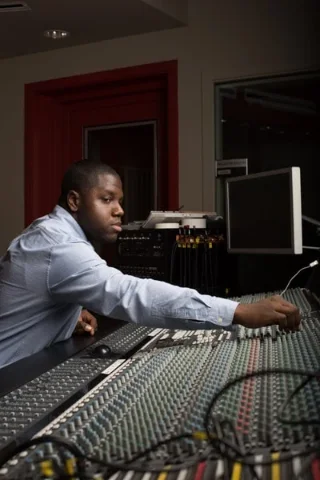
Engineer Amber Scott at a mixing console
Amber ScottPost-audio engineer
Source-Nexus Review: the mix and the client talkback on one bus, echo cancelled
MIX-MINUS ARMED
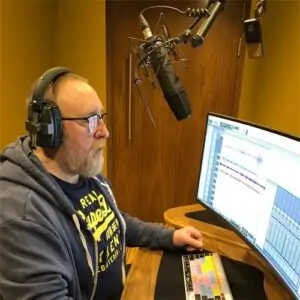
Client Armel Harlow at a keyboard
Armel HarlowMusician / music-demo producer

What the Suite gives you

Source-Nexus Suite features and what each one covers
FeatureSource-Nexus Suite
System Architecture360° Suite: 3 DAW Plugins + Control Panel + Router + Gateway Web Room
Browser Review Room (Gateway)Pristine HD Video + Up to 512 kbps Studio Audio
Multi-Track Video & Podcast RecordingBuilt-in Local Multi-Track HD Video & Audio
Session Security & PrivacyPasskey-Protected Sessions, Guest Access Control & Encrypted Peer-to-Peer
Internal Application Patchbay (Router)Source-Nexus Router (Up to 1,024 Channels)
Virtual Driver Creator (Control Panel)Source-Nexus Control Panel (Up to 64 Ch / Custom Driver)
DAW Application Insert (I/O)Source-Nexus I/O (AAX, VST, AU)
Automated Talkback ManagementSource-Nexus Mute-On (DAW State Automation)
Automated Mix-Minus (Review)Source-Nexus Review (1-Click Mix-Minus)
Max Sample Rate SupportUp to 192 kHz
Free Access TierForever-Free Gateway Tier Included
Guest Access1-Click Direct Browser Join with Optional Passkey

What does Source-Nexus Suite cost?

Pricing plans to accommodate any production budget.

Freemium

Free

$0indefinitely

No credit card required

  • Audio-only Gateway · 256kbps mono
  • Browser recorder
  • Not included: Stereo audio
  • Not included: Video & suite plugins
Get started

Every paid plan includes Full suite: I/O · Router · Mute-On · Gateway · Review · Control Panel 512kbps stereo · HD video Support & updates

No commitments

Monthly

$11.95/month

Cancel anytime

Buy now

1 month of savings

Annually

$132/year

≈ $11/month effective

Buy now

Save 20% over 2yrs

2-Year

$232/2 years

≈ $9.67/month effective

Buy now

Own a previous version?

You rule! We're grateful for your support and have unlocked an incredible upgrade offer for you in your account. Log in to upgrade an eligible license.

Log in

Frequently asked questions

What is Source-Nexus Suite?

Source-Nexus Suite is an all-in-one virtual audio routing, monitoring, and remote production platform. It combines a browser platform (Source-Nexus Gateway) for HQ video and audio review and multi-participant video podcast recording with 3 specialized DAW plugins (Review, I/O, and Mute-On) plus two standalone routing apps, Control Panel and Router.

Do my clients need an account or software installation to join a session?

No. You can send a direct web link to your guests, allowing them to join your review room in pristine quality straight from Chrome, Safari, Edge, or mobile browsers with zero software downloads, account creation, or logins required.

How does Source-Nexus Suite handle session security and guest access control?

Source-Nexus Gateway features built-in passkey protection and custom room locks. You can require a passkey for guests to enter, manually admit participants from a virtual waiting room, and stream audio over encrypted peer-to-peer connections to safeguard unreleased film, commercial, and studio material.

Can I route audio from desktop apps like Zoom, Spotify, or web browsers directly into my DAW?

Yes. Using the Source-Nexus I/O plugin (AAX, VST, AU), you can insert any desktop application or web browser tab straight onto a DAW channel fader as a send/return loop without setting up complex aggregate devices or running external hardware cables.

What makes Source-Nexus Suite uniquely powerful for professional video recording?

Source-Nexus Gateway provides high-definition multi-track video and audio recording paired with a complete virtual audio infrastructure—including virtual audio routers and DAW plugins for real-time mix monitoring and application patching.

I have an old version of Source-Nexus, can it be upgraded?

Yes, please see the “Products & Downloads” page within the member area to upgrade eligible Source-Nexus licenses.

In their own words

Published on source-elements.com and quoted in full — every card links to its source.

John Fippin

Magnetic Studios / Post-Audio

Source-Nexus Suite

The Source-Nexus Gateway is a game changer.

The ability to remotely collaborate with clients, voice talent and producers has gone from a luxury to an essential capability and Source-Nexus Suite is a best-in-class solution.

Source Elements
Sarah Taylor, CCE

Editor / Film & TV

Source-Nexus Suite

Source-Nexus Suite made for very efficient virtual edit sessions on a feature film & a web series when our team was spread out across the country. The stream played back so smoothly!

Source Elements
Sebastian Heyser

Dialogue Supervisor & ADR Mixer / METRIX Media

Source-Nexus Mute-On

With Mute-On you can basically set up smart communication routing without the need of a hardware controller.

It can dim or mute signals of your choice within the DAW, triggered by the DAW’s play status or individual key or MIDI commands. And that’s where it gets really interesting for me, I’m finally able to trigger talkback, mute or dim via a simple midi controller.

I’m now able to setup a remote ADR session that will automatically mute production sound when recording, mute the remote signal for the artist inside the booth on record (while the same signal in the control room stays unmuted), dim all sounds and open my line of communication to the remote client by pressing a foot switch that sends a MIDI command to the plugin.

I’m super impressed and happy to have finally found the workflow I was looking for.

Source Elements
Max Howarth

Partner / Producer, Red Facilities

Source-Nexus Mute-On

Mute-on is brilliant. We’ve tried a few other plugins over the years that purport to do the same thing but they were nowhere near as elegant (and nice looking) as mute-on.

We have an external Shure Microflex talkback mic which is switchable on and off via a touch switch but now we can leave the mic open and insert Source-Nexus Mute-On across that channel, with the setting ‘mute on record’ enabled. We can now have talkback open in all other scenarios other than when we go into record and it works perfectly. Thank you. It’s fantastic.

Source Elements

Make any session remote-ready in seconds.

Start free with the audio-only Gateway — upgrade to the full suite anytime.

The people already working this way